
How to make a Christmas profile picture: from a ready-made PFP to your own selfie, your pet or a matching pair
The blubiu team · Published 2026-11-19 · Updated 2026-11-21
To make a Christmas profile picture, you can pick a ready-made one, add a Santa hat to your own photo, or have AI redraw your selfie, your pet or an original character in a Christmas style. Galleries such as aestheticpfps.com list more than 260 cute Christmas PFPs, but none of them is you. BrandBird's free tool keeps your photo and adds a Santa hat and a festive background. Adobe Firefly turns your photo into a Christmas picture from a backdrop you describe, with free daily generations. On blubiu's Christmas PFP maker you upload a photo or pick a character and get a square PFP. By default it keeps your photo and adds a hat, an effect and a border: 24 seconds in each of our 10 tests, faces and clothes unchanged. Pick a style and it redraws instead: our 14 redraws took 20 to 26 seconds each, both selfies stayed recognizable with glasses and curls kept, and a photo of a woman with her dog kept both of them. The catches: redrawn, clothes can change and photos stay close to the real face even in the anime style; kept, the AI places the hat and you cannot move it.
Key takeaways
- Ready-made: galleries like aestheticpfps.com list 260+ cute Christmas PFPs, GIFs included; none of them is you.
- Santa hat on your real photo: BrandBird is free, removes the background and lets you place the hat yourself.
- Hat, effect and border on your own photo: blubiu's default, Keep my photo, took 24 seconds in each of our 10 tests, faces and clothes unchanged.
- AI restyle of your selfie or pet: on blubiu, 20 to 26 seconds per PFP in our 14 tests, faces recognizable.
- Matching pair: two pictures in the same style, turned toward each other; they do not join into one.
Your photo with a hat, or your photo redrawn
A Christmas profile picture is either your real photo with Christmas things added, such as a Santa hat or a festive background, or a new picture of you drawn in a Christmas style.
Keep fixed
- Hat on your photo: your exact face, clothes and expression
- Redrawn: your face, glasses and hair, in a Christmas look all over
Free to change
- Hat on your photo: only the hat and background are new
- Redrawn: clothes and background change; the face stays close to the photo
4 ways to make a Christmas profile picture, compared
Pick a ready-made PFP if you want one now, a hat tool or blubiu's Keep my photo to keep your own photo, and an AI restyle when you want you, your pet or a matching pair in a Christmas style.
| Way | What you get | Cost | Weak spot |
|---|---|---|---|
| Ready-made gallery (aestheticpfps.com) | 260+ cute Christmas PFPs by style, platform and mood, GIFs included | No price stated on the page | Not your face; others use the same one |
| Santa hat on your photo (BrandBird) | Your photo with the background removed, a Santa hat and a festive background | "Completely free" | Only a hat and a background; no restyle |
| AI from your photo (Adobe Firefly) | Your photo with a festive backdrop you describe, face kept recognizable | Free daily generations with an Adobe account; paid plans for more | You write the prompts yourself |
| blubiu Christmas PFP maker | A square PFP: your photo kept with a hat, effect and border, or you, your pet or an original character redrawn in 5 styles; matching pairs | Credits per PFP; the Free plan covers six a month | The AI places the hat, so you cannot move it; redrawn styles change clothes; still images only |
Make a Christmas profile picture from your selfie
Upload a clear selfie to the Christmas PFP maker, pick a style such as Aesthetic and generate: you come back in a Santa hat with Christmas lights behind you, still recognizable.
- Pick a selfie where your face is large and facing the camera.
- Open the Christmas PFP maker, upload it and pick a style: Anime, 3D cartoon, Aesthetic, Photo or Pixel art. The default, Keep my photo, does not redraw: it adds a hat, an effect and a border to your photo as it is; see how to add a Santa hat to a photo.
- Generate, then set the square result as your profile picture.
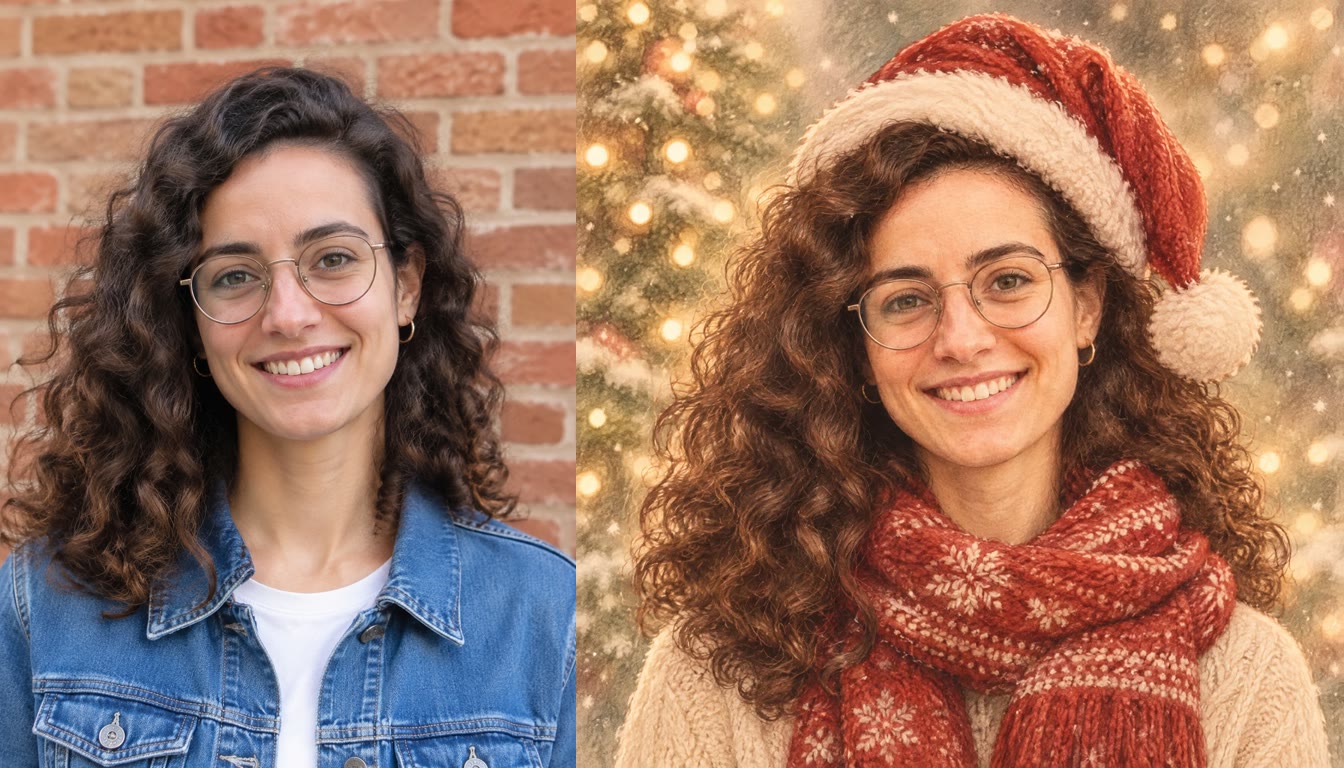
Result: 25 seconds: the woman kept her glasses, curly hair and earrings, and came back in a Santa hat and a red snowflake scarf in a soft, aesthetic style.
Drift and limits: Her denim jacket became a cream sweater. In a separate test, a man's selfie in the Anime style stayed close to his photo and looked more like a painted portrait than anime.
Make a Christmas profile picture of your pet
Upload your pet's photo the same way: the pet keeps its breed, fur and face and gets a Santa hat or a scarf, and anyone else in the photo comes along too.
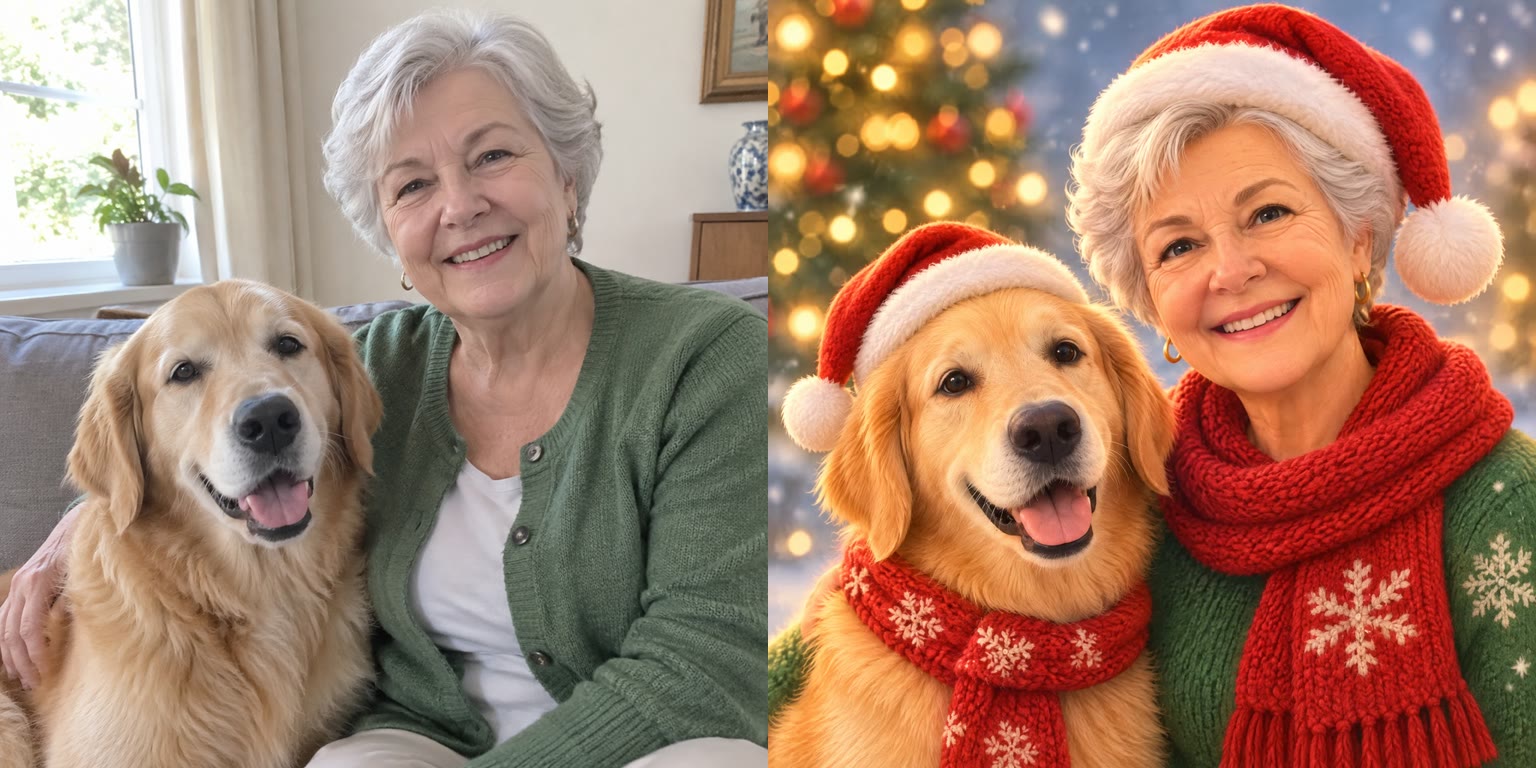
Result: 25 seconds: a photo of a woman with her golden retriever came back with both of them in Santa hats and red scarves, by a Christmas tree.
Drift and limits: We chose 3D cartoon, but the result stayed close to the photo. For a cartoon pet, leave the photo out and pick Dog or Cat.
No photo? Use an original character
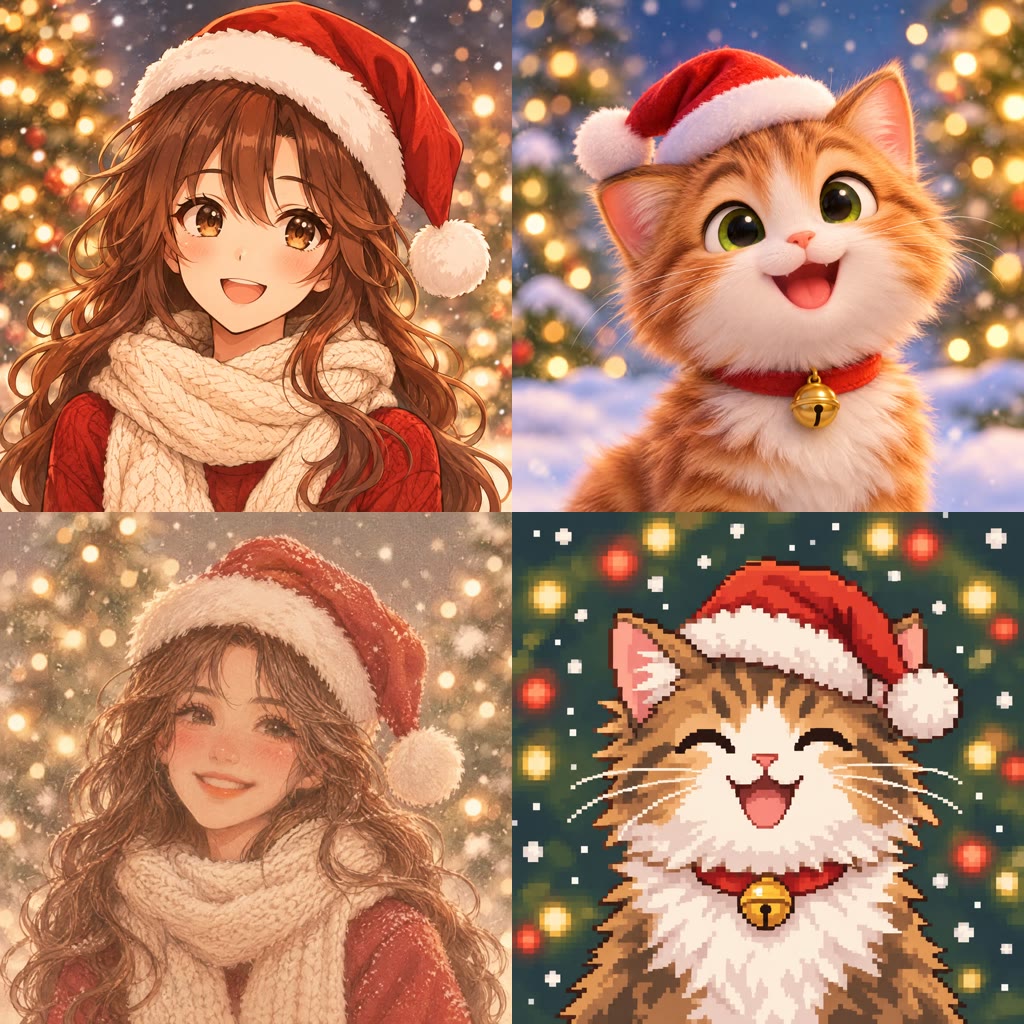
Leave the photo empty and pick Girl, Boy, Cat or Dog: you get an original character in a Christmas outfit, in the style you choose, in 20 to 26 seconds.
Result: Anime girl 25 s, 3D cartoon cat 20 s, aesthetic girl 26 s, pixel art cat 21 s: each with the face in the middle of the square and no text.
Drift and limits: These are original characters only. A request for a known anime character, such as Gojo, is not something we draw.
Matching Christmas profile pictures for two
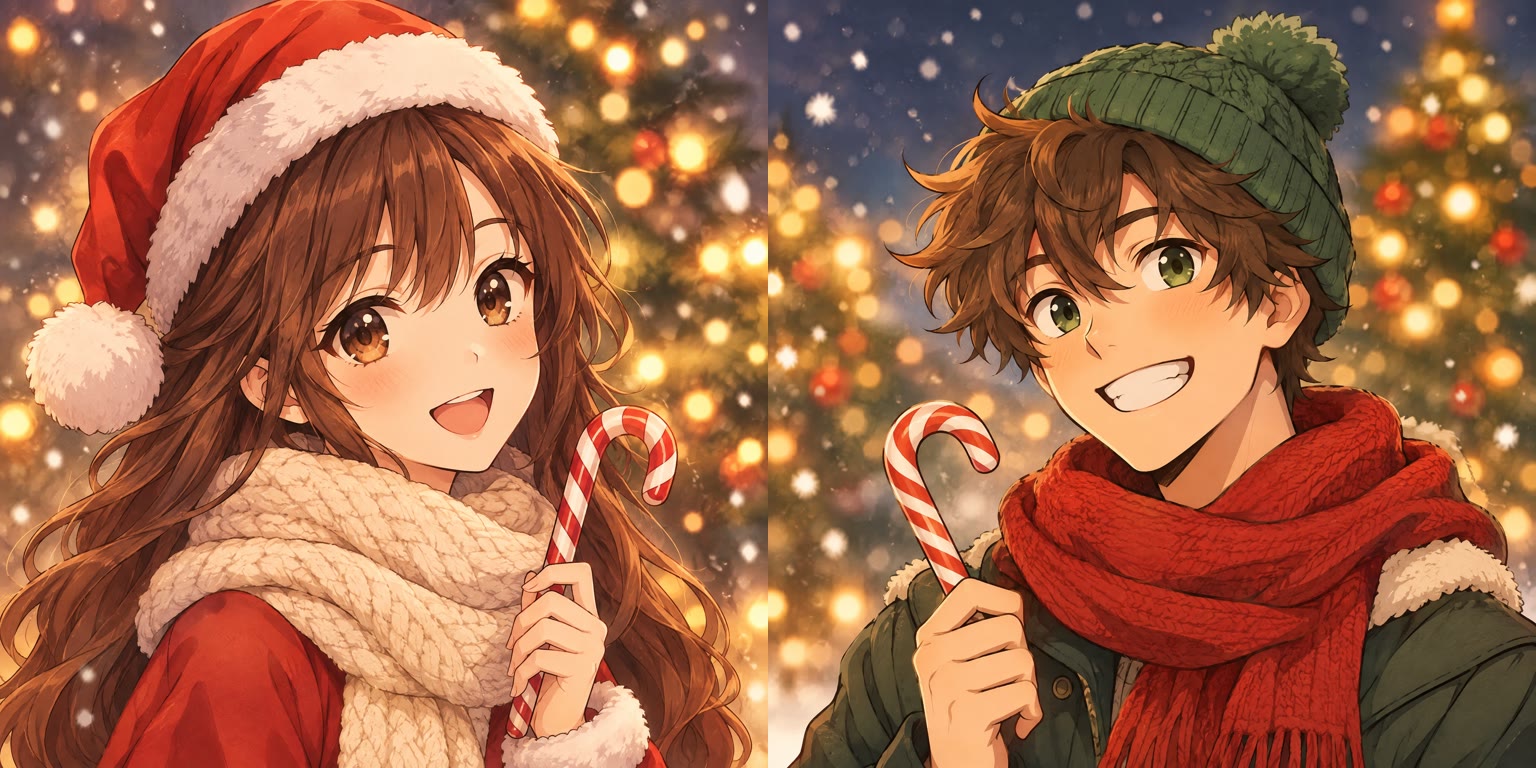
Make one picture with Pair · left, then the other with Pair · right in the same style: the two come back in the same style and background, turned toward each other.
Result: 20 and 25 seconds: an anime girl in a Santa hat and an anime boy in a green beanie, each holding a candy cane, with the same snowy lights behind.
Drift and limits: Our first try asked each half to hold half of a candy-cane heart that joins up side by side. Made separately, the halves did not line up, so we dropped it.
How we tested it
We made 14 Christmas profile pictures on blubiu's Christmas PFP maker with its own settings and checked each one for likeness, text and how the face sits in a round crop.
Model: GPT Image 2.6 Flare at 2K, square, 2048×2048. The selfies and the dog photo are AI-made test photos, not real people. Times include our script's polling interval.
These 14 ran on 19 November, before the page had Keep my photo. Our 10 Keep my photo tests from 21 November, 24 seconds each, are in how to add a Santa hat to a photo.
| Run | Time | Result |
|---|---|---|
| Anime · Girl / Boy | 25 s / 25 s | Original characters in a Santa hat and a beanie |
| 3D cartoon · Cat / Dog | 20 s / 21 s | Bell collar; reindeer antlers and plaid scarf |
| Aesthetic · Girl | 26 s | Muted colors, film grain |
| Pixel art · Cat | 21 s | Clear, bold shapes |
| Man's selfie · Anime, first wording | 24 s | Face kept; looked like a painted portrait |
| Man's selfie · Anime, reworded | 25 s | Face kept; still closer to the photo than to anime |
| Woman's selfie · Aesthetic | 25 s | Glasses, curls, earrings kept; jacket became a sweater |
| Woman and dog · 3D cartoon | 25 s | Both kept, both in Santa hats; close to the photo |
| Matching pair, halves of a heart | 21 s + 25 s | The halves did not line up; dropped |
| Matching pair, facing each other | 20 s + 25 s | Same style and background, candy canes |
When the AI way is the wrong choice
- You want to drag the hat into place yourself: on blubiu the AI draws it and you cannot move it afterwards; BrandBird lets you drag it.
- You want an animated GIF profile picture: AI here makes still images; galleries have GIFs.
- You want a known anime or cartoon character: we draw original characters only.
- You want your selfie as full anime: in our tests photos stayed close to the real face; photo to anime redraws you fully.
Make your Christmas profile picture
Christmas PFP Maker →
Upload a selfie or a pet photo, or pick a character, and get a square Christmas PFP.
How to Add a Santa Hat to a Photo: 4 Ways Tested →
Read the guide to Keep my photo: every hat, effect and border we tried, with the failures.
Photo to Anime →
Redraw your selfie fully as anime.
AI Christmas Photo Generator →
Make a full Christmas photo of the family, not just a profile picture.
How to Make Yourself an Elf: 4 Ways Compared →
Read another guide: how to make yourself an elf and make it dance.
FAQ
How do I make a Christmas profile picture?
Pick a ready-made one, or upload a selfie to the Christmas PFP maker: keep the photo as it is and add a Santa hat, an effect and a border, or pick a style to redraw it. Ours took 20 to 28 seconds and stayed recognizable.
Can I make a Christmas profile picture for free?
Yes. BrandBird says its hat tool is completely free, Adobe Firefly gives free daily generations with an Adobe account, and blubiu's Free plan covers six PFPs a month; the PFPs shown on our Christmas PFP page are free to use.
What are some Christmas profile picture ideas?
The ones we tested: your selfie in a Santa hat, your dog in antlers or a scarf, an anime character, a soft aesthetic portrait, a pixel art cat for Discord, and a matching pair for two.
How do I make an aesthetic Christmas profile picture?
Pick the Aesthetic style: muted reds, creams and greens with film grain and fairy lights. Our selfie in this style took 25 seconds and kept her glasses and curls.
How do couples make matching Christmas profile pictures?
Make one with Pair · left and the other with Pair · right in the same style. You get two pictures with the same style and background, turned toward each other; they do not join into one picture.
Sources and dates
- Questions: Google's People also ask and related searches for "christmas profile picture", and autocomplete for "matching christmas pfp" (US, 19 November 2026).
- Other ways, as their own pages describe them (read 19 November 2026): Adobe Firefly's Christmas profile picture page, BrandBird's Christmas profile picture maker and aestheticpfps.com's cute Christmas PFP page.
- Test results: our own runs on blubiu on 19 and 21 November 2026; the photos are AI-generated test images.