
How to make an AI music video: from one singing photo to 43 shots cut on the beat by an Agent
The blubiu team · Published 2026-11-20
An AI music video is a song cut together with many short AI clips, so the work is keeping the singer and colors the same from clip to clip and landing every cut on the beat. There are three common ways. One photo plus a song gives one lip-synced singing shot: HeyGen, WaveSpeed and blubiu's AI singing video do this, and our clips took 6 to 10 minutes each. Building it shot by shot, as OpenArt's tutorials do, gives lip sync in every scene but means splitting the song into short parts and aligning them by hand. One-click tools such as Freebeat and HeyGen's music video generator render a whole song at once. We made a 29-second anime music video on blubiu from a Suno v5 song and 25 short clips: the blubiu Agent cut 43 shots on the beat, reviewed its own cut, replaced 6 shots and put crowd cheering under the chorus only, in 17 rounds and 53 credits of conversation. Mood shots of rain, hands and crowds made the pace, not the singer in every shot; two clips still show deformed fingers.
Key takeaways
- One singing shot: a photo plus up to 60 seconds of song on AI singing video; only the face moves, and our clips took 6 to 10 minutes.
- Hand-built: OpenArt's lip-sync tutorial splits the song into parts of 3 to 10 seconds, lip-syncs each part and finds about half the clips usable.
- One-click: Freebeat takes songs from 15 seconds to about 6 minutes; HeyGen's music video generator renders the full track in one pass.
- Our test: a Suno v5 song and 25 clips; the Agent cut 43 shots into 29.2 seconds, 32 of them a single beat (0.43 seconds) long.
- What fixed the pace: 12 mood shots plus one-beat cuts. Our first 13-shot cut, with the singer in most shots, was too slow.
What an AI music video is made of
An AI music video is a song plus a stack of short AI clips cut on its beat: our clips ran 2 to 6 seconds each, and 30 seconds of music became 43 shots.
Keep fixed
- The singer's face, hair and whole outfit, in every shot
- One color palette per section: ours was cold blue for the rain, magenta and cyan for the stage
- A steady tempo, so that every cut can land on a beat
Free to change
- Shot type: wide, close-up, hands, crowd, a speaker, the singer from behind
- Place: a rooftop, a train, a practice room, backstage, the stage
- Shot length: from one beat to a whole bar or more
- Lip sync: in an animated video it matters less than the cuts; our final cut has none
3 ways to make an AI music video, compared
Use one photo and a song for a single singing shot, build shot by shot when you want lip sync in every scene, use a one-click tool for a full song fast, or on blubiu give your song and clips to the Agent to cut and review the edit.
- HeyGen does better at singing without a song (it sings lyrics you type) and at full songs: its music video generator renders the whole track in one pass with lip sync.
- WaveSpeed is free with no account, and the photo and audio never leave your device.
- OpenArt's hand-built route gives lip sync in every scene, which our final cut does not have.
- Freebeat takes songs up to about 6 minutes, pasted as a Spotify, YouTube or Suno link.
- Neural Frames analyzes 8 stems, so the visuals can react to the kick or the vocals.
- Revid shows its per-second price on the page and offers timing by lyrics or by beats.
| Way | What you give it | What you get | Limits and cost (from their pages) |
|---|---|---|---|
| One photo + song: HeyGen Make Photo Sing, WaveSpeed, blubiu AI singing video | A photo and audio; HeyGen also sings lyrics you type | One fixed shot of one face singing | Only the face moves; WaveSpeed stops at 30 seconds, ours at 60; HeyGen's free plan gives short clips with a watermark |
| Hand-built, shot by shot: OpenArt's tutorials | A character sheet, scene pictures, the song split into short parts (3 to 13 seconds across their three tutorials), the lyrics of each part | A multi-shot video with lip sync in each scene | About half the clips usable; you line each clip up with the song by hand and mute its own audio to stop the echo |
| One-click song → video: HeyGen music video, Freebeat, Neural Frames, Revid | A song file or link, plus a style or a prompt | A full-length video with cuts timed to the beat | Freebeat up to about 6 minutes, with a $0 Free plan; Neural Frames from $39 a month; Revid 15 credits per 5 seconds at its Low setting |
| blubiu Agent: it cuts and reviews; it can also make the clips | Your song plus clips, or a character and a brief | A beat-cut edit that it watches and revises, up to three versions | Credits per clip, per render and for the conversation; we have tested 30 seconds, without lip sync |
Step 1: Make or pick the song, and choose about 30 seconds
Use a song with a steady tempo and start a few bars before the chorus: ours ran at 139.75 BPM, the chorus came in at 44.7 seconds, and the Agent started at 37.8 seconds to get 7 seconds of build-up.
We wrote the lyrics and made the song, Turn the Lights Up, with Suno v5: one request returns two versions for 75 credits. We kept version A because its tempo held steady; version B's tempo did not, and an unsteady tempo leaves the cuts nowhere fixed to land.
Start short. Revid's page puts it this way: "Try a short excerpt first so you can judge the pacing." Use only a song you made or have the rights to.
Result: The Agent read the 132.7-second song as 309 beats at 139.75 BPM, 0.43 seconds a beat, and took 29.2 seconds of it from 37.8 seconds: 16 beats of quiet build-up, then the chorus.
Suno v5 →Step 2: Make animated clips of the mood, not only the singer
Make clips of places, hands, lights and the crowd as well as the singer: our first cut of 13 shots, mostly the singer, was too slow, and adding 12 mood clips gave the edit enough different shots to cut fast.
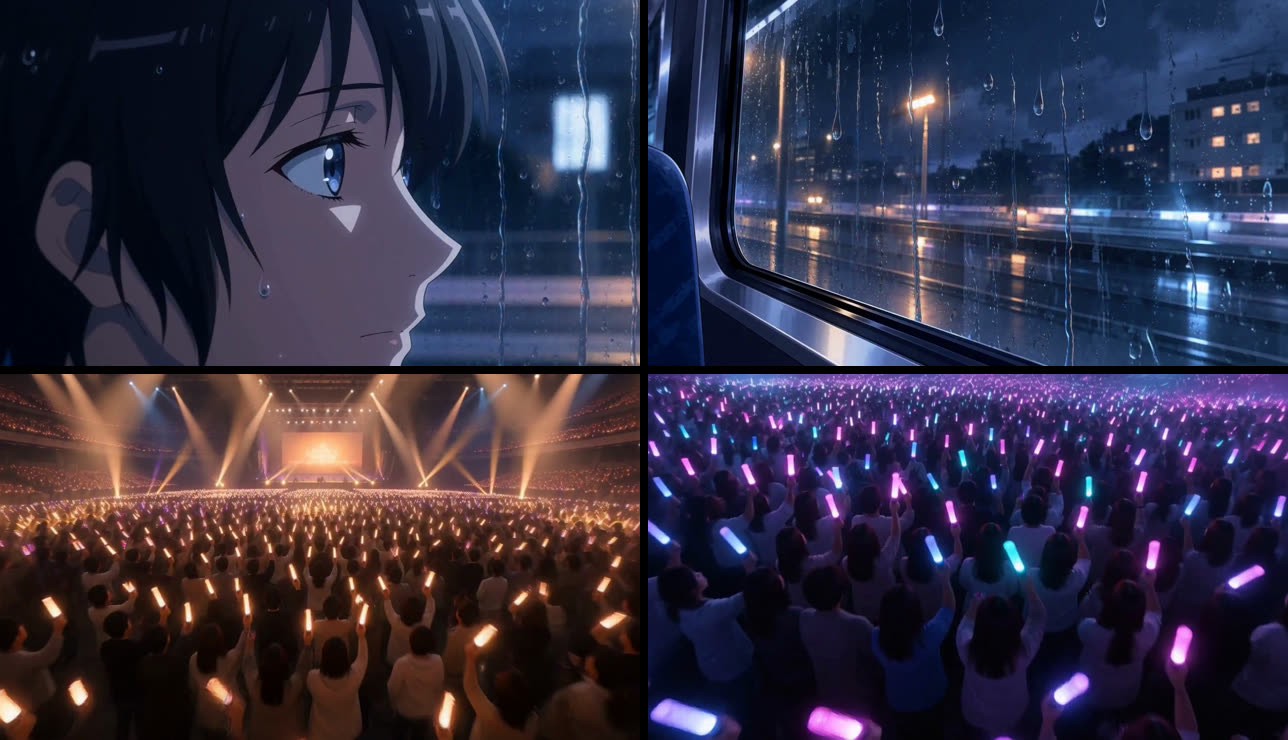
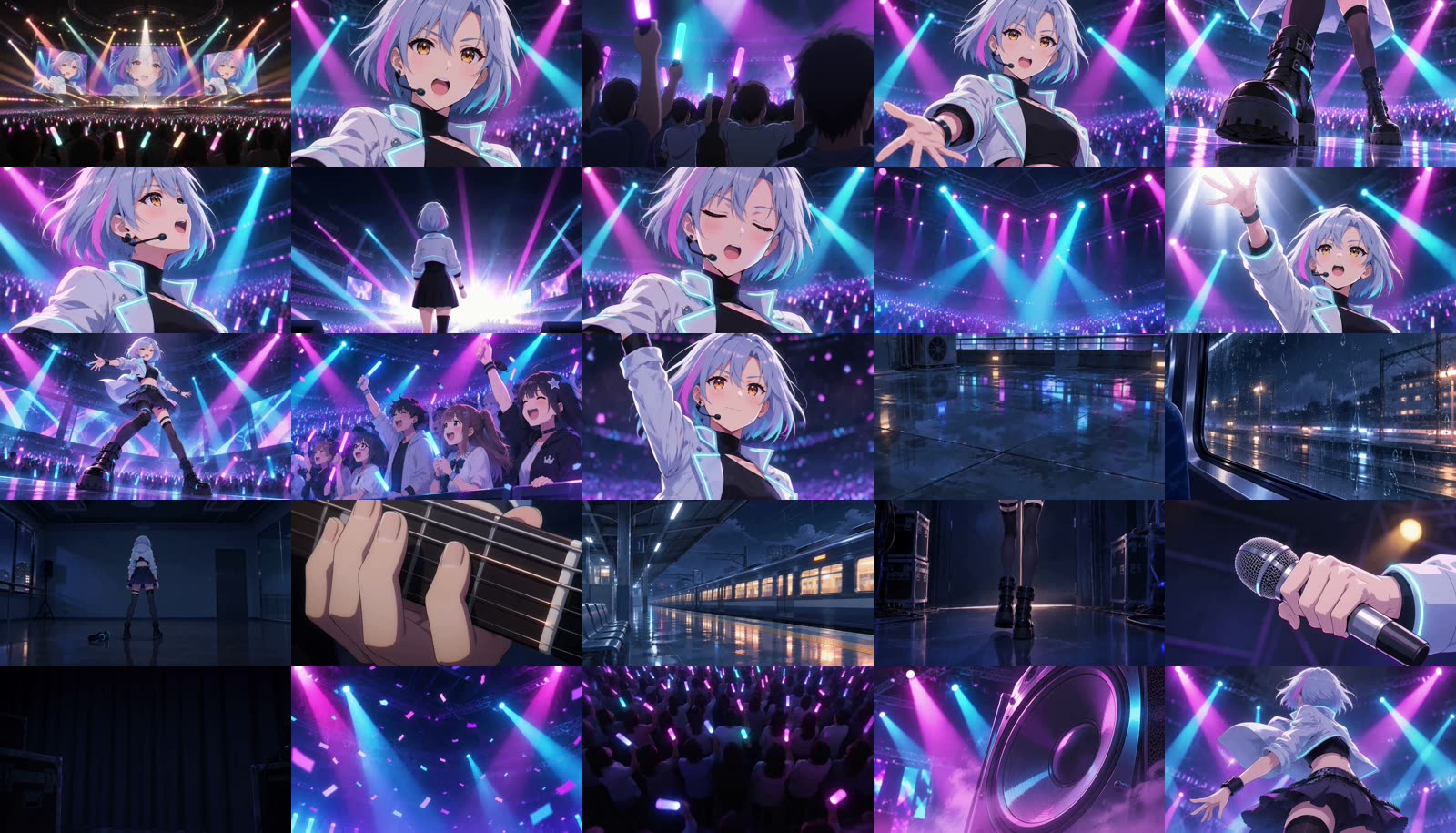
The 13 stage clips show the singer close up, from behind, from below, her boots, a light rig and the crowd. The 12 mood clips tell a short story before the stage: a rainy rooftop, rain on a train window, the practice room, guitar strings, the last train, the backstage corridor, a hand gripping the mic, the curtain opening, confetti, a sea of glow sticks, a speaker cone and her hair in the wind.
Each clip started from a still picture and was animated with MiniMax H3 Lite for 2 to 6 seconds, without audio. Draw the singer's whole outfit first, for example with a consistent character sheet: we did not, and the lower half of her outfit changed between shots.
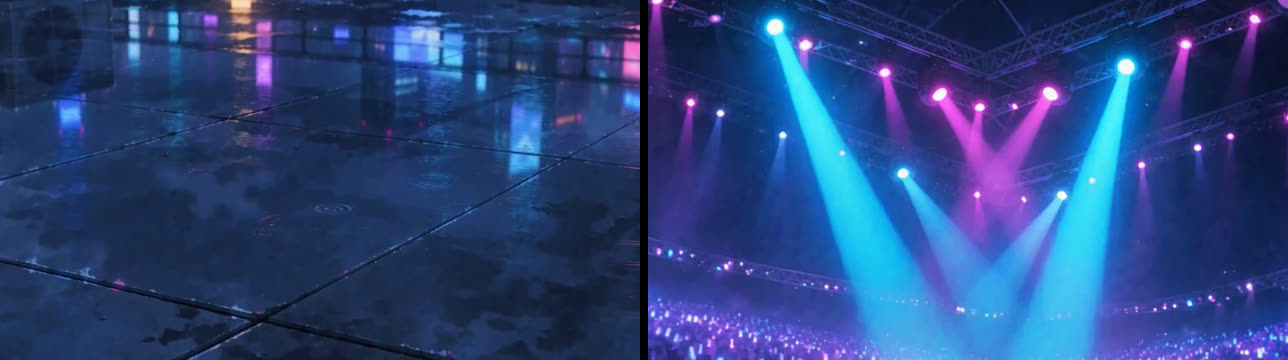
Motion prompt that fixed the rain-on-window clip
Only the wet window glass and the blurred night city outside: raindrops slide down the glass, streaks of light pass from right to left. No people, no faces, nobody enters the frame. Camera stays still. Colors stay cold dark blue. Anime film, keep the 2D anime look.
Name the colors and who is in the frame in every motion prompt.
Result: 25 clips, 80 seconds of video at 768p. The same singer and the same arena held across the stage clips, and the cold city and warm stage palettes held across the mood clips once they were redone.
Drift and limits: 4 of the 12 mood clips had to be redone: a person appeared in the rain-on-window clip, and the confetti, glow-stick crowd and speaker clips drifted to gold and orange. Writing the colors and "no people" into the prompt fixed all four, though the confetti clip still has a few gold beams midway. In the stage clips, the singer's amber eyes came back blue after a blink, and the first shot's magenta and cyan lights turned gold.
Step 3: Have the Agent cut it on the beat
Give the Agent the song, the clips and a short brief: it reads the beats, writes a shot list counted in beats and renders it, and ours came back as 43 shots in 29.2 seconds, 32 of them one beat long.
Our brief to the Agent, in short: the first 25 files are animation clips and the last one is the song; make a music video of about 30 seconds, 16:9; it needs atmosphere, not just the singer; fast cuts on the beat; crowd cheering in the chorus; watch it yourself and keep fixing it until you are happy.
We made the 25 clips ourselves and handed them over, so this test measures the edit. In normal use you can also ask the Agent to make the clips.
- It opened with four shots of 4 beats each (rain, the train, the practice room: 6.9 seconds), moved to 2-beat shots, then cut mostly on every beat through the chorus.
- It used four flash cuts, a 6-beat wide shot of the arena to end, and asked us to approve the credits for up to three renders and the reviews before rendering.
- It reused clips by cropping in (1.1× to 1.35×) and starting them at a later second. The cutting tool refuses a shot list that uses one clip more than three times, so give it enough clips: 25 clips made 43 shots.
Result: First cut: 43 shots, 29.2 seconds, 1080p, 16:9, every cut on a beat of the song, with crowd cheering at low volume under the whole cut.
Step 4: Let it watch the cut and fix it
Ask the Agent to review its own cut: a model that watches and listens flagged rain shots breaking up the chorus, repeated shots and a hair-continuity slip, and the Agent replaced 6 shots without generating anything new.
- First review: cheering was audible under the quiet rainy opening; shots of the rooftop, the train window and the train platform cut into the chorus; the singer reaching out and a guitar close-up each appeared twice; in one low-angle shot the pink streak in her hair switched sides.
- Fix: it swapped those 6 shots for stage, crowd and speaker shots and kept the other 37 as they were.
- Cheering only in the chorus: the crowd sound runs under a whole render, so it rendered the 6.9-second opening without it and joined it to the chorus with it.
- Final review: cuts on the beat and a clean join at 0:06, with no skip, click or dip.
Result: Final cut: 29.2 seconds, 1080p, 43 shots. The edit took 17 rounds of conversation, 53 credits including both reviews, plus four renders.
Drift and limits: The final review still found deformed fingers in two guitar close-ups (0:13 and 0:20) and a slightly warped face on the big screen (0:26). Those are in the clips themselves: fixing them means generating those clips again, which this run did not do.
Do you need lip sync in an AI music video?
Not in every shot: our final cut has no lip-synced shots at all, because a lip-sync clip moves only the face and each 5-second clip took 3 to 8 minutes; make one when you want a close-up of the singer visibly singing.
We tested it with a close-up still of the same singer and 5 seconds of an AI song. On blubiu, AI singing video does this with any photo and up to 60 seconds of song, using the same lip-sync model as talking photo.
If you want the mouth matching the words in every scene of a whole song, OpenArt's hand-built route or HeyGen's music video generator aims at that; ours does not.
Result: A 6.6-second, 1024×576 clip: the mouth opened and closed with the singing, the eyes blinked and the face kept its shape.
Drift and limits: Only the face moves: the lights, crowd and camera stay still. A waist-up picture of the same singer failed upstream twice (no credits were taken); the close-up worked.
How we tested: every clip, cut and review
On 16 November 2026 we made an original AI singer and an AI song, generated 25 clips with a script, handed them to the blubiu Agent with one brief, and checked every version frame by frame.
The singer, both songs and every picture are AI-made originals. Clips were made with MiniMax H3 Lite at 768p from a still first frame, without audio. Notes on sound come from the Agent's review model, which watches and listens; our team judged the pacing by watching. The singing clips mentioned above were made on 20 November 2026 and took 6 to 10 minutes each.
Credits at blubiu's prices on 20 November 2026: the song 75 (one request, two versions); 25 clips, 80 seconds of H3 Lite at 768p at 3 credits a second, 240, plus 42 for the 4 redone clips; the edit, 53 credits of conversation plus 10 for four renders at 1 credit per 10 seconds. About 420 credits in all, not counting the still pictures. H3 Lite at 480p is 1.5 credits a second.
Two failures. An earlier Agent edit of the 13 stage clips alone reused the same footage too often, which is why we added the mood clips. And after the final review, one request to the chat model hung and the conversation sat in "running" for 24 minutes; the Agent now stops on its own after 4 minutes without a reply.
| Step | What we used | What came out | What held / what drifted |
|---|---|---|---|
| Lip-sync test | Lip-sync model; a close-up still and 5 s of an AI song | 6.6 s, 1024×576; 3 to 8 min per 5-second clip | Mouth moved with the singing, eyes blinked, face held / a waist-up still failed twice; only the face moves |
| First cut | 13 H3 Lite clips (38 s of video), cut on the beat by a script to an earlier AI song | 13 shots, 30.2 s, 1080p, no lip sync | Same singer and arena / too slow; eyes amber → blue after a blink; shot 1's lights turned gold; the crowd shot became silhouettes from behind; outfit's lower half drifted |
| Song | Suno v5, one request | Two versions; A: 132.7 s, 139.75 BPM, chorus at 44.7 s | A's tempo steady / B's tempo unsteady, not used |
| Mood clips | 12 stills → H3 Lite at 768p, 3 or 4 s each | 42 s of video, plus 14 s redone | Cold city and warm stage palettes / 4 redone (an extra person; gold and orange light); one still redrawn because the hand on the mic came out as the singer's face |
| Agent, first cut | 25 clips, the song and one brief | 43 shots, 29.2 s, 1080p, from 37.8 s of the song | Every cut on a beat / review: rain shots in the chorus, repeated shots, the hair streak switching sides, cheering in the quiet opening |
| Agent, revision | 6 shots replaced; opening rendered without cheering, then joined | 29.2 s, 1080p, 43 shots | On the beat, clean join / deformed guitar fingers twice, slightly warped face on the big screen |
| Edit total | 17 rounds of conversation, 2 reviews, 4 renders | 53 credits of conversation + 10 for renders | Both reviews by a model that watches and listens |
When this way is the wrong choice
- You want the mouth matching every word for the whole song: our final cut has no lip sync; HeyGen's music video generator and OpenArt's hand-built route aim at that.
- You want a full 3- to 6-minute video in one click: we tested 30 seconds; Freebeat (up to about 6 minutes) and Neural Frames' Autopilot are built for whole songs.
- You want it free: our 30-second test came to about 420 credits plus the still pictures, far more than the Free plan's 75 monthly credits; a single singing shot on AI singing video fits.
- You want visuals that react to each instrument: our cuts follow the beat only; Neural Frames analyzes 8 stems.
- You do not have the rights to the song: use music you made or are licensed to use.
Next steps
AI Singing Video Generator →
Make one singing shot from a photo and up to 60 seconds of song.
Suno v5 AI Music Generator →
Make an original song to cut to: two versions per request.
MiniMax H3 (Hailuo) AI Video Generator →
Animate your stage and mood stills: H3 Lite is 1.5 credits a second at 480p.
Consistent Character Sheet Generator →
Lock the singer's face, hair and whole outfit before you make clips.
How to Make AI Cartoon Videos: 3 Ways Compared →
Read another guide: how to make AI cartoon videos.
FAQ
How do I make an AI music video for my song?
Upload the song and your clips (or a character) to the Agent and ask for a music video cut on the beat: it reads the beats, cuts on them and reviews its own cut, up to three versions. Start about 7 seconds before the chorus, as ours did. Use only a song you made or have the rights to.
Can I make an AI music video for free?
A short singing clip, yes; a full multi-shot video, not within blubiu's Free plan. Its 75 monthly credits cover two singing clips with our songs on AI singing video, while our 30-second multi-shot test used about 420 credits plus the stills. WaveSpeed's singing tool is free with no account, up to 30 seconds; Freebeat lists a $0 Free plan.
How do I make an AI music video of myself?
Start with a clear, front-facing photo of yourself: on AI singing video it sings up to 60 seconds of your song, moving only the face. For several shots of you in different places, the same face has to hold in every clip; HeyGen's music video generator says it keeps the same face, outfit and identity throughout. We have not tested a multi-shot video of a real person on blubiu.
Is there an AI music video generator?
Yes: HeyGen, Freebeat, Neural Frames and Revid each turn a song into a video, and OpenArt has a music video mode. blubiu works differently: the Agent edits your song and clips on the beat and reviews its own cut.
Can I make a music video with a Suno song?
Yes. We made ours with Suno v5 on blubiu (75 credits a request, two versions) and gave it to the Agent; HeyGen's music video generator and Freebeat also accept Suno tracks. Keep the version with the steadier tempo: our second version's tempo was not steady, so we did not use it.
Can AI make a full-length music video?
Yes, several tools render whole songs: Freebeat from 15 seconds to about 6 minutes, HeyGen in one pass, and Neural Frames with its Autopilot. Our blubiu test was 30 seconds. The cutting tool uses each clip at most three times, so a longer song needs more clips.
Sources and dates
- Questions come from Google autocomplete for "how to make an ai music video", "how to make a music video with ai" and "is there an ai that makes music videos", checked on 20 November 2026.
- Other tools as their own pages describe them, read on 20 November 2026: HeyGen's Make Photo Sing and AI Music Video Generator pages, WaveSpeed's Make a Photo Sing, the Freebeat homepage, the Neural Frames homepage and pricing page, Revid's AI music video generator page, and OpenArt's three tutorials on singing and music videos. These names are trademarks of their owners; blubiu is not affiliated with them.
- Test results: our own runs on blubiu on 16 November 2026 (the music video) and 20 November 2026 (the singing clips). The singer, the songs and all pictures are AI-made originals. Credits are computed from blubiu's prices on 20 November 2026.