
Consistent Character Sheet Generator
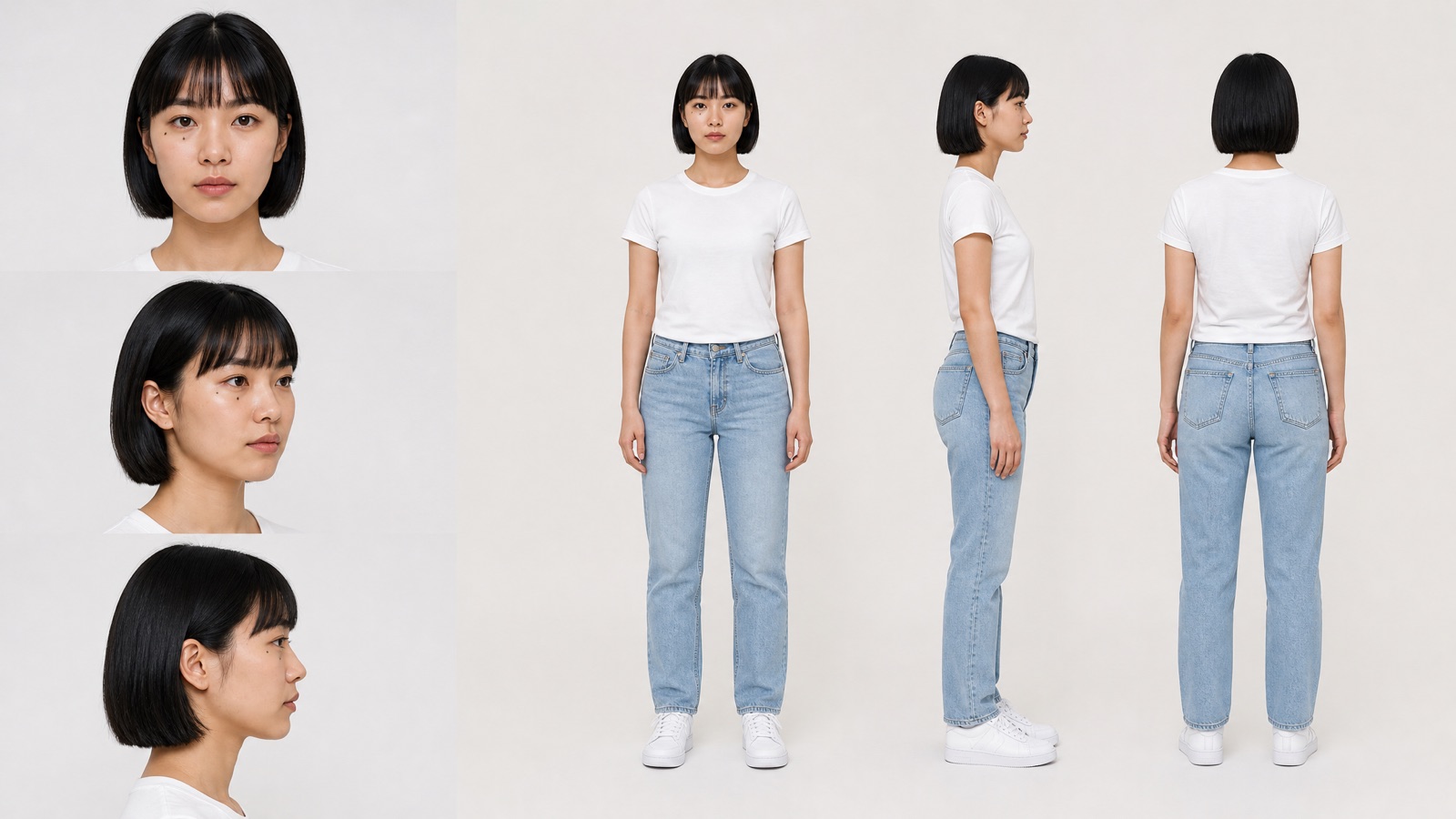
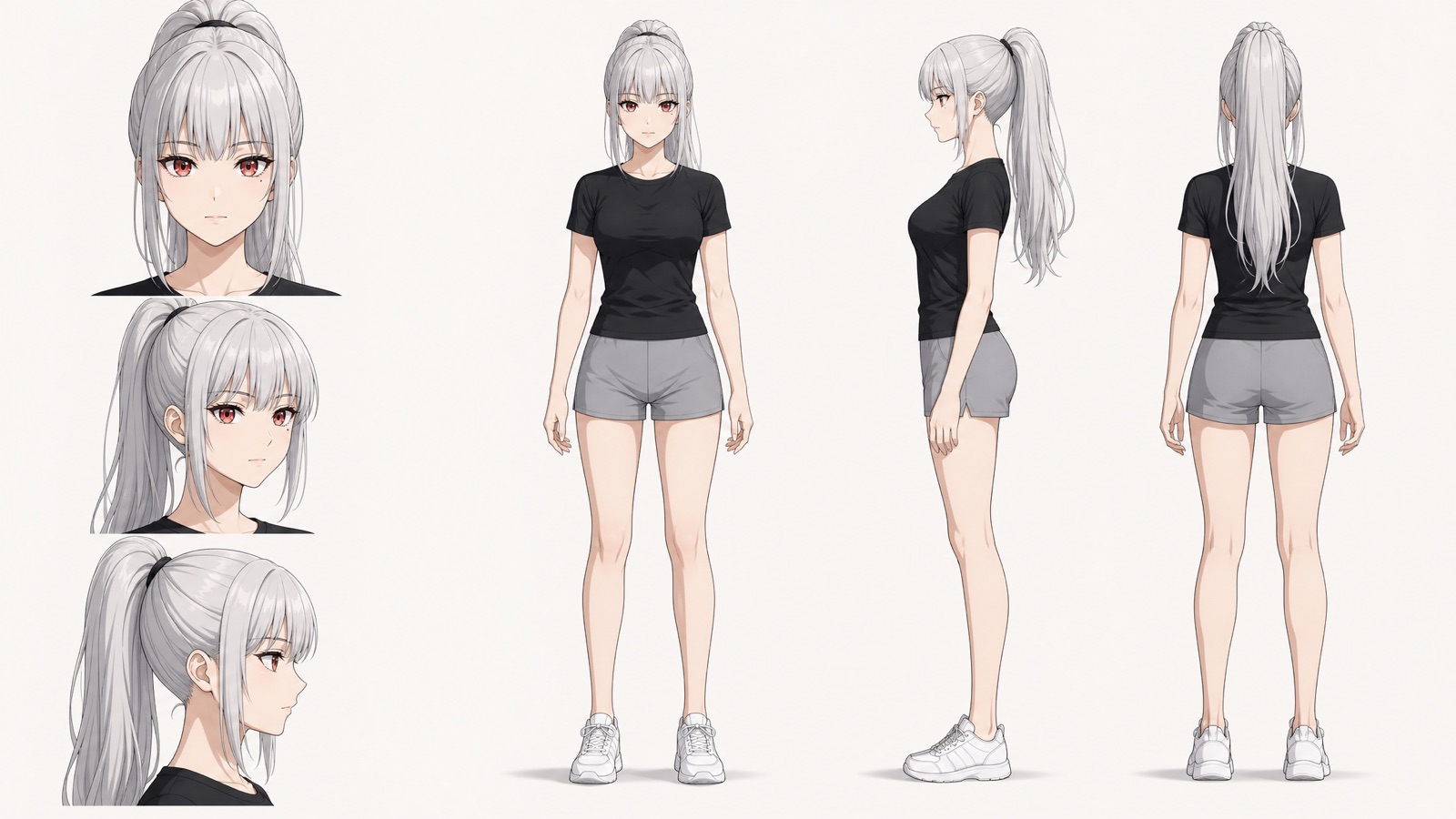
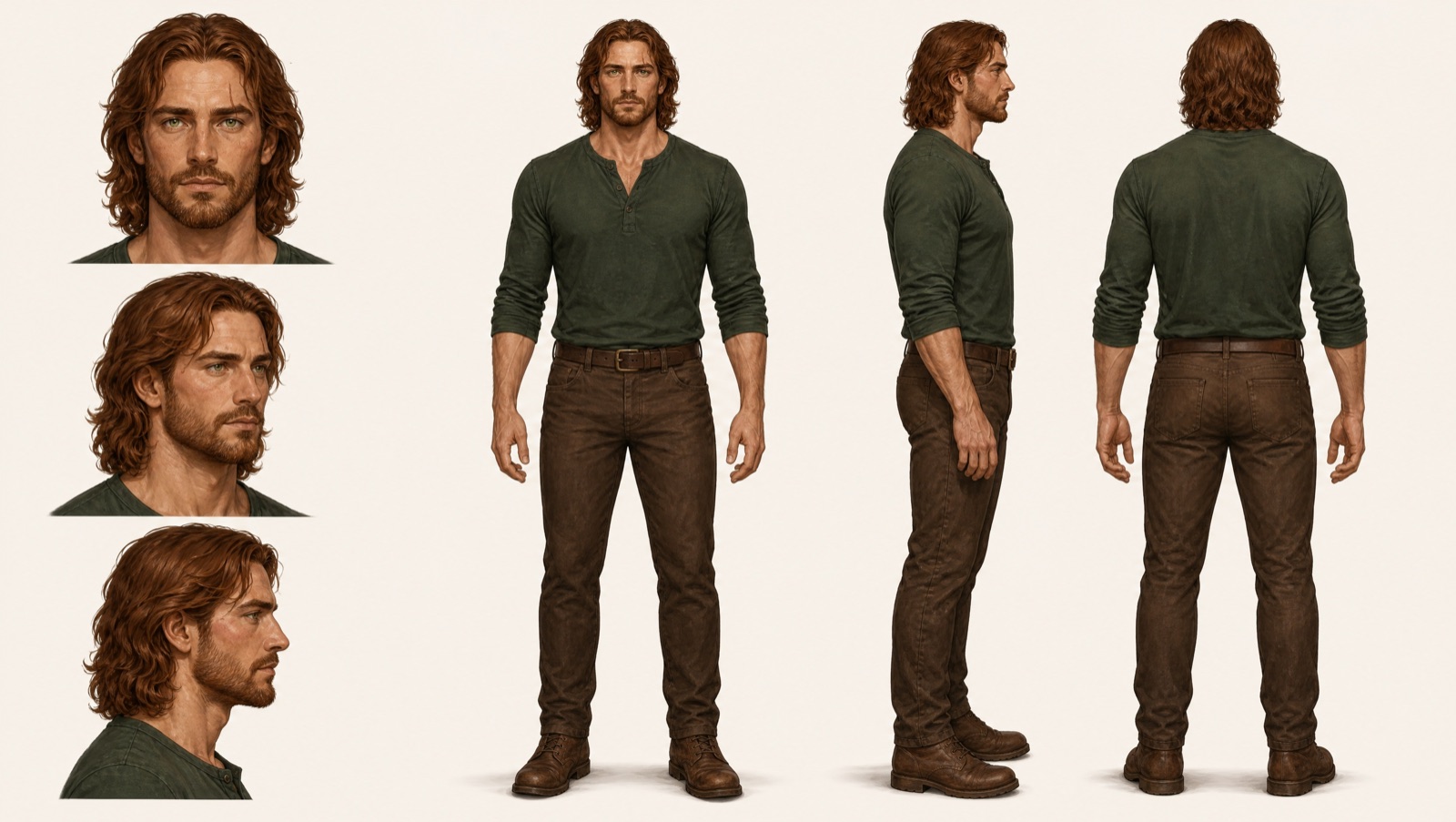
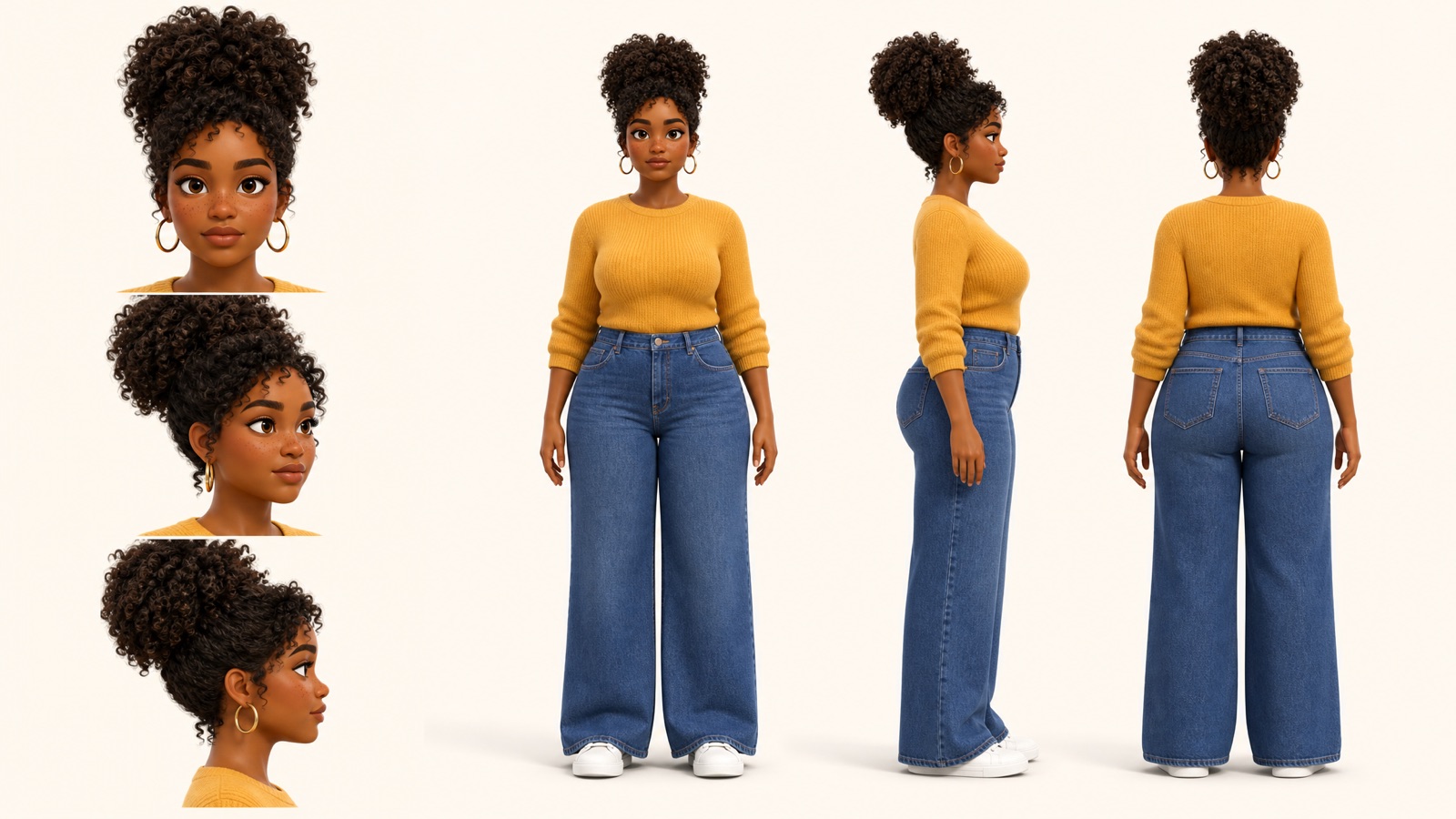
A consistent character sheet pins one person down from every angle: three face views plus front, side and back full body.
What is a consistent character sheet?
A consistent character sheet is a single image that pins down a person from every angle, and blubiu's generator makes one from a short description or a face photo: three face close-ups (front, three-quarter, profile) beside front, side and back full-body views, in photoreal, anime, semi-realistic or 3D style. Use it as the reference for the AI Outfit Changer or any image and video model, and the same face, hair and build carry over.
Checked 2026-11-02
Who it's for
- +You run an AI influencer or a story with recurring people and need the same face in every post.
- +You want to dress one character in many outfits and poses (next step: the AI outfit changer).
- +You have one photo or a description and want a clean identity reference for image and video models.
- +You are casting a comic, short drama or game and want each recurring character's face locked before you draw a single scene.
- +You plan to put the same person into video, with reference to video or recast video, and need one identity image to reuse every time.
When not to use it
- −Your character is a mascot, animal or toy rather than a person: the Character Turnaround Sheet generator fits better. AI Character Turnaround Sheet Generator →
- −You want a showcase poster with expressions, details and a color palette on one board: make a character reference sheet. AI Character Reference Sheet Maker →
- −You want to turn a stranger's or a celebrity's photo into a character. Only upload yourself or someone who has agreed.
How to make a consistent character sheet
- 01
Describe the person
Age, face, hair, build, and any mark you want locked in, like a mole or a scar. Name the clothes too, or leave them out and you get plain fitted basics that are easy to swap later.
- 02
Pick a style, add a photo if you have one
Photoreal, anime, semi-realistic or 3D animation. A face photo makes the sheet follow that person; only use yourself or someone who has agreed.
- 03
Save it as a character
Click Save as character on the result. In the AI outfit changer you can then pick it in one click and dress it in any outfit and pose.
Tips for better consistent character sheet results
Write down every mark you want locked
Whatever you write shows up in all six views: a mole under the left eye, a scar through an eyebrow, freckles across the nose, gold hoop earrings. In our tests the mole stayed on the same side of the face in every view, in photoreal and anime alike. Name the side for anything that is not symmetric.
Leave clothes out if you will dress the character later
With no clothes named, the sheet uses a plain fitted t-shirt, straight trousers and plain sneakers in neutral colors, so the body shape reads clearly and the AI outfit changer has little to replace. Name clothes only when they are part of who the character is, like a uniform or a signature jacket.
Photos lend the identity, the description does the rest
Up to two face photos set the face, hairstyle, skin tone and build. Clothes and everything else come from your description, drawn in the style you pick. Only upload yourself or someone who has agreed; every character is drawn as an adult.
Pick the style you will keep
Everything made from the sheet inherits its style: the outfit changer keeps the art style of the character image, so a photoreal sheet gives photoreal outfit shots and an anime sheet stays anime. Choose photoreal, anime, semi-realistic or 3D animation now rather than converting later.
Use the same sheet everywhere
Give every tool the same sheet: the outfit changer, reference to video and recast video, where multi-angle turnaround sheets gave the steadiest swaps in our tests. Mixing different photos of the same person from clip to clip invites drift.
Consistent character sheet examples
All of these were generated on blubiu.
Consistent character sheet vs. similar tools
| Tool | You give | You get | Best for |
|---|---|---|---|
| Consistent character sheet (this page) | A description of a person, or up to 2 face photos, plus a style | One 16:9 2K image: front, three-quarter and profile face close-ups beside front, side and back full body | Keeping one person consistent across outfits, poses, images and video |
| AI outfit changer | Your saved character, a pose and an outfit | One image of the same person dressed and posed | The next step: new looks for the person on this sheet |
| Character turnaround sheet | A one-line description, one of 8 styles, up to 2 reference images | Front, side and back full body, without face close-ups | Creatures, mascots, toys and stylized characters |
| Character reference sheet | A name, a description and a style (no photoreal) | A 4K showcase board with expressions, callouts and a palette | Presenting a stylized character, not feeding later generations |
| Mascot generator | Animal, personality, material and color picks | A front, side and back turnaround of an animal mascot | Brand mascots rather than people |
Models behind the consistent character sheet
Consistent character sheet FAQ
What is a consistent character sheet?
It is one image that shows the same person from several angles, so an image or video model can keep their identity in new shots. blubiu's sheet has three face close-ups (front, three-quarter and side profile) and three full-body views (front, side and back).
Why three face angles instead of one portrait?
One portrait only fixes the front. When a later pose turns the head, the model has to guess the side of the face and usually drifts. With front, three-quarter and profile on the sheet, there is a matching face for most camera angles.
Can I make a sheet from a photo of a real person?
Yes, upload up to two face photos and the sheet follows that person. Only use photos of yourself or of someone who has agreed. Characters are always adults.
What do I do with the sheet next?
Save it as a character, then use it in the AI outfit changer to dress the same person in new outfits and poses, or add it as a reference image when you generate images in the image generator AI or videos.
Which model makes the sheet?
GPT Image 2 at 2K, the same model as the character turnaround page, chosen for keeping one character consistent across viewpoints. In our tests it kept the same face, hair and marks across all six views in both photoreal and anime styles.
Is the consistent character sheet generator free to try?
Yes. The Free plan includes monthly credits you can spend here, and the Generate button shows the exact cost before you confirm. Failed generations are refunded automatically; plans and credit packs are on the pricing page.
What does the sheet look like?
One 16:9 image at 2K. About 40% of the width on the left stacks three head-and-shoulders close-ups (front, three-quarter and strict profile) with a calm, closed-mouth expression; the rest shows the full body from the front, side and back in the same relaxed standing pose. There are no labels, props or text, so it works directly as a reference image.
Why are the faces on the left and the bodies on the right?
Because the full body needs height. We tested a version with three faces in a row above the full-body views, and the bodies came out too small to read the build; two side-by-side zones keep both the faces and the figures large.
How is this different from a character turnaround sheet?
Both show the full body from the front, side and back. The consistent character sheet adds three face close-ups and is built for people, with photoreal, anime, semi-realistic and 3D styles. The character turnaround sheet is built for designed characters such as animals, mascots and toys, with eight styles including plush, vinyl and clay, and has no face close-ups.
Can I make a video with the same person?
Yes. Add the sheet as a reference in reference to video to keep the face in a new shot, or use it as the character image in recast video to swap the person into an existing clip of up to 15 seconds. To animate one still, such as an outfit result, use image to video.
Tools to pair with the consistent character sheet
AI Outfit Changer →
Pick the saved sheet as the character and dress it in any outfit and pose from the libraries, or upload your own.
AI Image to Video Generator →
Animate a single still of the person, such as an outfit result: use it as the first frame and describe the movement.
Create Video with AI →
Keep the same face in a brand-new shot: attach the sheet as one of up to 9 reference images and describe the scene.
Recast Video with AI →
Swap the person into an existing clip of up to 15 seconds; multi-angle turnaround sheets gave the steadiest swaps in our tests.
Image Generator AI →
Put the same person in any scene by attaching the sheet as one of up to 4 reference images.
Talking Photo AI →
Turn the same face into a talking head video: crop the front portrait and give it a script or your own audio.
Anime to Real Life AI →
Start from an anime drawing instead of words: anime to real life keeps the character's face and gives you the same multi-angle sheet.
Other creation tools
Wire script, character, shot and voice nodes into one pipeline and generate it clip by clip, with the same character in every clip.