
How to create a mascot with AI for your brand, and keep it the same character everywhere
The blubiu team · Published 2026-11-17
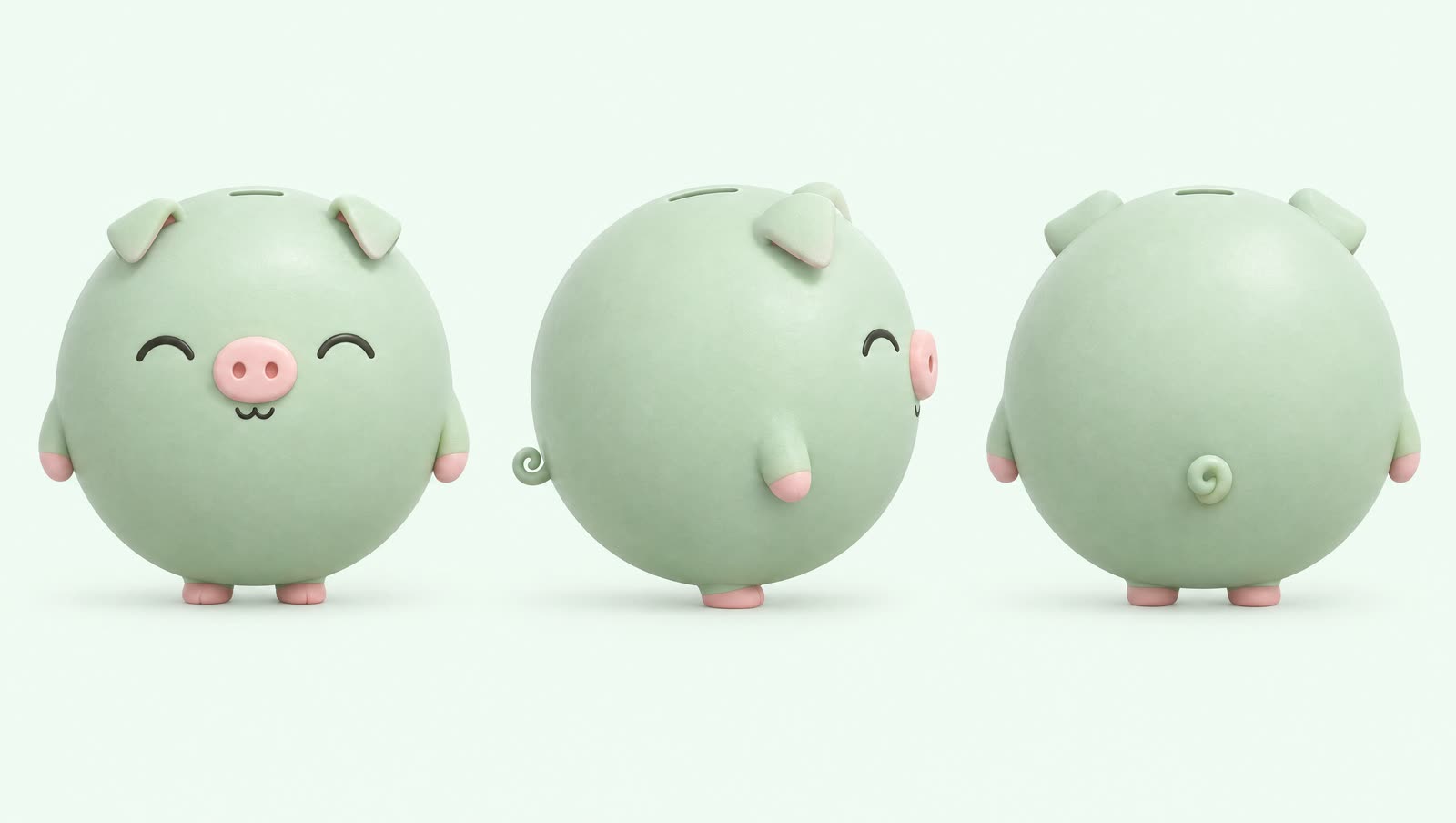
To create a mascot with AI that stays the same character everywhere, design it once as a front, side and back turnaround sheet and write down what must never change; that sheet is the reference image you attach in every later step. We tested this on blubiu with one mascot for a made-up savings app: Penny, a mint-green pig with a coin slot on its head. Ten generations, from the sheet to a 5-second video, cost $1.17 in model fees and took 19 seconds to about 3 minutes each. The coin slot showed up in every still image and in the video. Three things drifted: the snout lost its pink in 2 of 12 expressions, a thumbs-up sticker grew a full hand, and one scene ignored the face we asked for until we attached the expression sheet as a second reference. The workflow suits an original animal mascot for an app, a shop or social media. It does not design logos, mascot costumes or human characters.
Key takeaways
- Start from a turnaround sheet, not a single picture: front, side and back give every later step the same reference. Ours came out right on the first try in 46 seconds.
- Write an identity block from the approved sheet (Penny's lists ten visible features) and put it first in every prompt; only the action, setting and framing change.
- Give the mascot one signature detail and check it in every result. Penny's coin slot is easy to spot at full size but disappears at 32 pixels, so small sizes rely on the round body and pink snout.
- Fix drift with a second reference, not a longer prompt: attaching the expression sheet turned a wink into the puzzled face we asked for, in one retry costing $0.045.
- Budget: 10 generations for $1.17 in model fees, most of it the 5-second video ($0.76).
What has to stay the same, and what can change
A mascot reads as the same character when its silhouette, face, colors and one signature detail never change; everything else can move with the scene.
Keep fixed
- Silhouette and proportions (Penny: a round ball body, no neck)
- The face: eyes, snout or nose, mouth shape
- Colors and the render style (smooth 3D, flat 2D, clay…)
- One signature detail that is easy to check (Penny's coin slot)
Free to change
- Pose and gesture
- Expression, as long as it comes from the expression sheet
- Small add-ons such as a scarf for a holiday post
- Setting, lighting, framing and aspect ratio
Step 1: Decide the mascot's job before you draw it
Write down where the mascot will appear and the smallest size it has to work at, because that decides how simple it has to be.
If you have no idea yet, browse mascot ideas: 14 finished mascots for schools, teams, cafés and kids, each a template that fills the generator's options in one click.
| Decision | Penny (our test brief) |
|---|---|
| Brand | A made-up savings app; we invented it for this test |
| Where it appears | Website hero, empty states in the app, holiday posts, chat stickers, a short video |
| Smallest size | 32 pixels, the size Discord shows custom emoji in chat |
| Personality | Gentle and reassuring, because money is a stressful subject |
| Signature detail | A coin slot on top of the head, like a piggy bank |
| Off limits | Text inside the artwork, the app's logo, a human character |
Step 2: Design the base character as a turnaround sheet
Generate the mascot as one front, side and back sheet, because every later step needs a reference that shows the whole character.
In the AI mascot generator we picked Pig, Brand mascot, Gentle and Mint, and typed one line under Anything else: "a small coin slot on top of its head, like a piggy bank". Personality sets the body and face: Gentle gives a round ball body, closed smiling eyes and a tiny mouth, while Playful would have given an inverted-triangle body with a mouth 90% as wide as the face, which is wrong for a calm money app. The Brand mascot use sets the smooth 3D material.
When the sheet is right, click Save as character. The expression sheet, sticker and sprite tools can then pick it straight from your character library instead of a fresh upload.
Result: First try, 46 seconds, 2720 × 1536 pixels: a pastel mint ball with folded ears, a pink snout, a curly tail and the coin slot visible in all three views.
Drift and limits: Animals typed under Other are less reliable than the 24 in the list; our test of four of them is on the mascot generator page. The sheet has no transparent background and no vector (SVG) file.
Open the AI mascot generator →Step 3: Write the identity block once
List the features you can see on the approved sheet in one paragraph, and paste it unchanged at the start of every prompt you write for this mascot.
Write only what you can point at on the sheet. Words like cute or friendly can't be checked, so they don't hold the design together. After the identity block, every prompt we wrote followed the same order: the action, the setting, the framing, then what must not appear (no text, no logos).
Penny's identity block
Penny, the pig mascot from the reference sheet. Keep exactly: a round ball-shaped body with no neck, soft pastel mint-green skin, a pink pig snout with two nostrils, two small folded triangular ears, closed smiling crescent eyes, a tiny w-shaped mouth, short arms and feet with pink tips, a curly tail, and a thin coin slot on top of the head like a piggy bank. Same 3D render style, colors and proportions as the sheet.
Step 4: Make an expression sheet
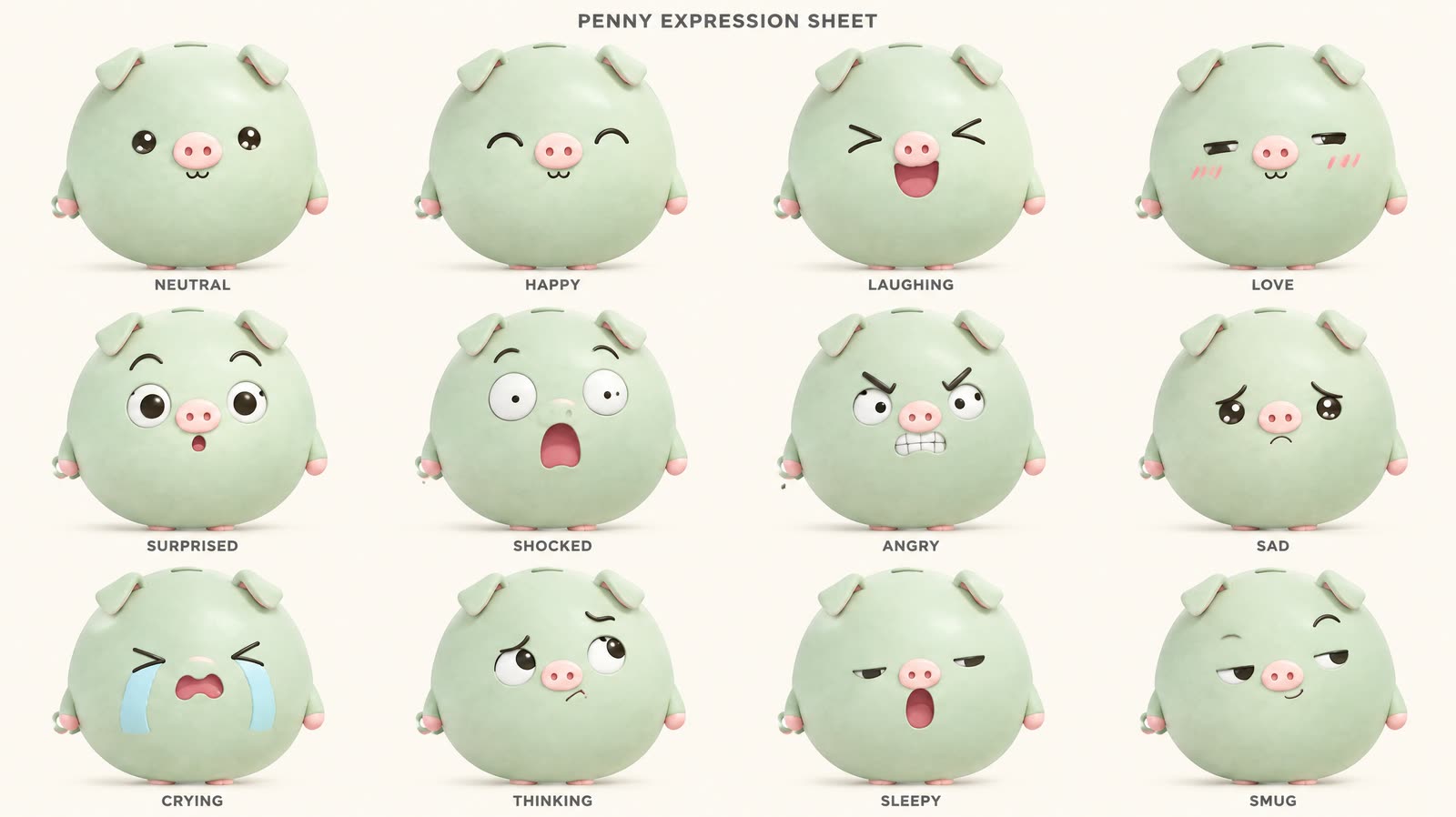
Turn the sheet into twelve labeled expressions before you need them, so later prompts can point at a face instead of describing one.
In the expression sheet maker we used the turnaround as the character, kept the style on Match reference and typed Penny as the name.
Result: 12 panels in 24 seconds, from Neutral to Smug, with the title printed correctly. The coin slot, the folded ears and the round body are in every panel.
Drift and limits: In Shocked and Crying the snout turned the body's mint green, and the Neutral panel has open eyes although the base sheet has closed crescent eyes. Decide which eyes are the real ones and add that to the identity block.
Step 5: Put the mascot into real placements
Attach the turnaround sheet as a reference image and start the prompt with the identity block; the only new words are the action, the setting and the framing.
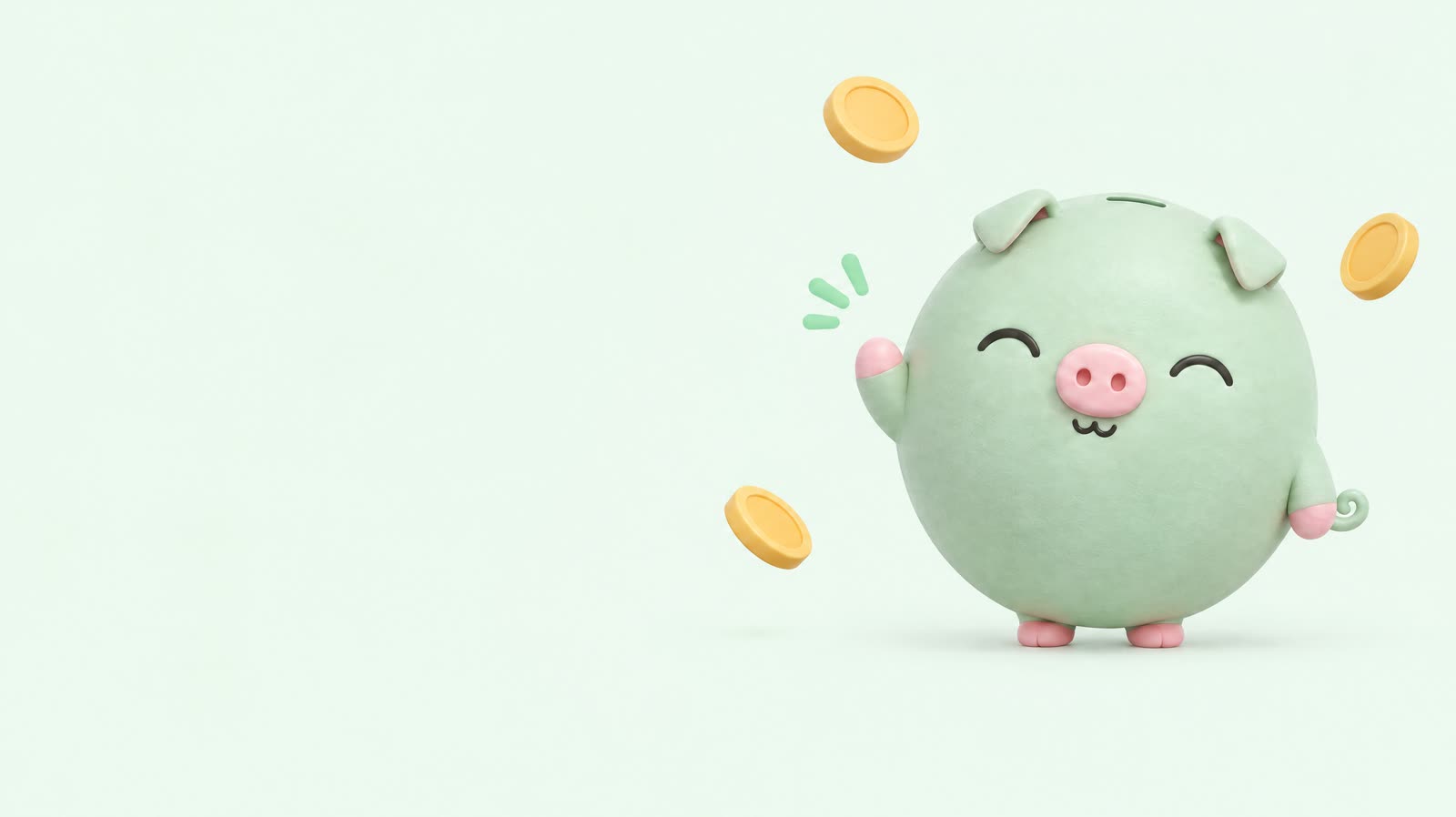
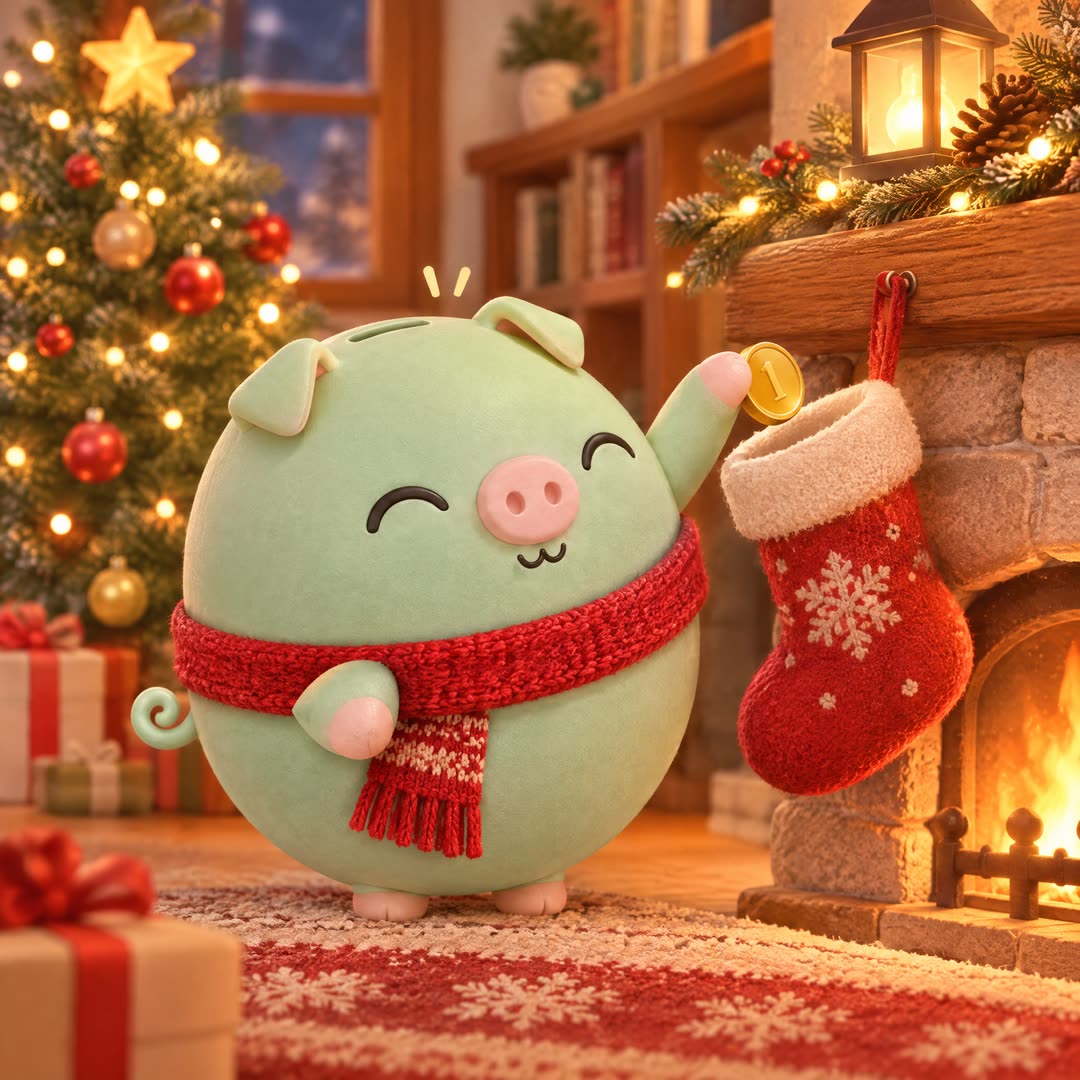
We used the AI image generator with GPT Image 2.6 Flare picked in the model menu, the sheet as the only reference, and the aspect ratio of each placement. A brand character like this usually lives in three places, so we made one of each.
| Placement | Ratio | Time | What held, what didn't |
|---|---|---|---|
| Website hero | 16:9 | 33 s | Waving on the right, the left side empty for a headline, slot and colors kept |
| Holiday post | 1:1 | 54 s | Red scarf added, drops a coin into a stocking by the fireplace, slot still visible |
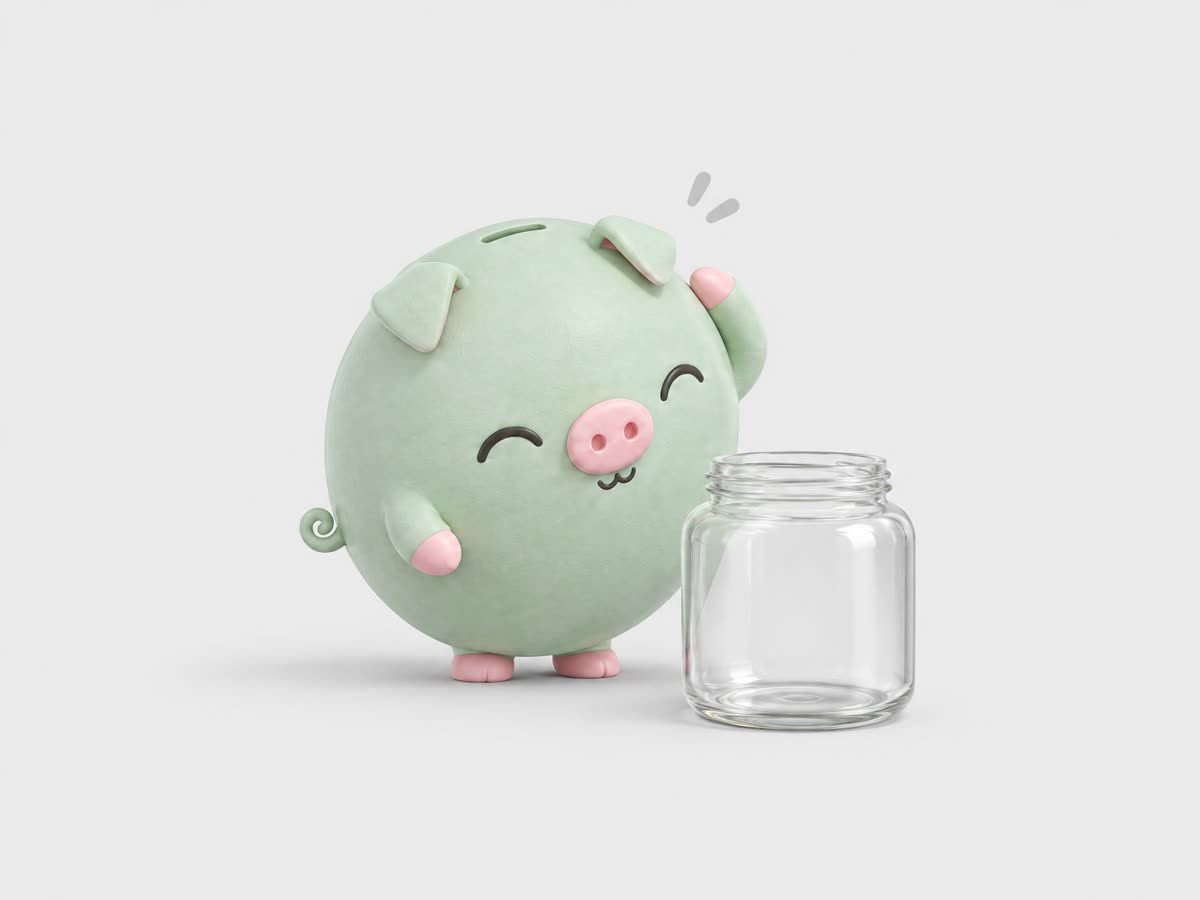
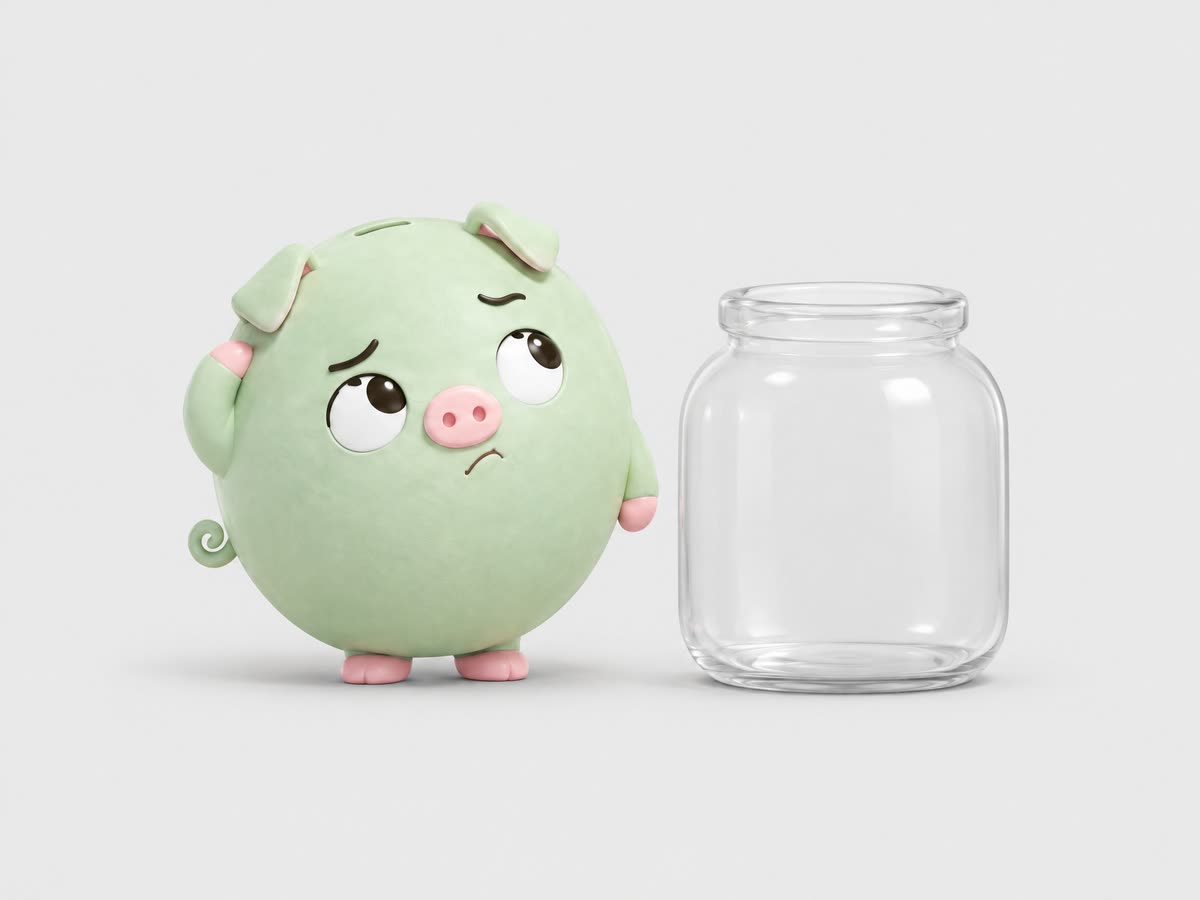
| Empty state in the app | 4:3 | 29 s | Body and slot kept; we asked for a puzzled face and got a wink (fixed in step 6) |
Step 6: Fix drift with a second reference, not a longer prompt
When one feature comes out wrong, attach the sheet that shows it right and name the exact panel, instead of rewriting the whole prompt.
The empty state asked for "a curious, slightly puzzled face" and got a wink. For the retry we kept the identity block and the scene, attached the expression sheet as a second reference, and added one line: use the THINKING expression from the second reference, not smiling, not winking. One retry, 24 seconds, $0.045: eyes looking up, one eyebrow raised, a small frown.
| Drift we saw | Where | What to do |
|---|---|---|
| The face ignored the prompt | Empty state | Attach the expression sheet and name the panel. Tested: fixed in one retry. |
| Snout lost its pink | Expression sheet, 2 of 12 panels | Use the other panels as references; we did not regenerate it. |
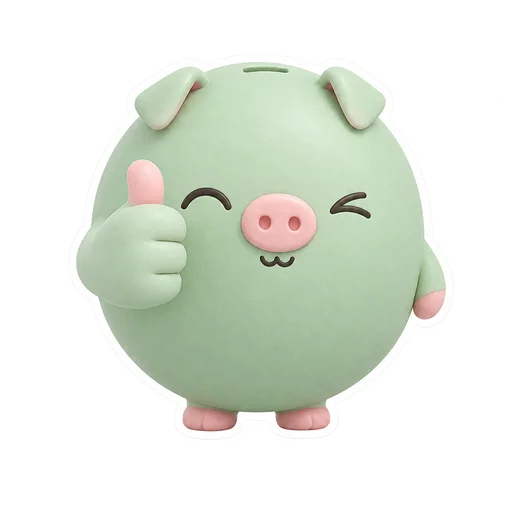
| A thumbs-up grew a full hand | Sticker | The base design has no fingers, so a thumbs-up has to invent one; choose gestures the design can make, such as a wave. Not retested. |
| Top of the head cut off | GIF, top frame of the jump | Pick a smaller move or the head-and-shoulders framing. Not retested. |
Step 7: Make stickers and emoji
Use the turnaround sheet as the character in a sticker generator, so every reaction is the same mascot on a transparent background.
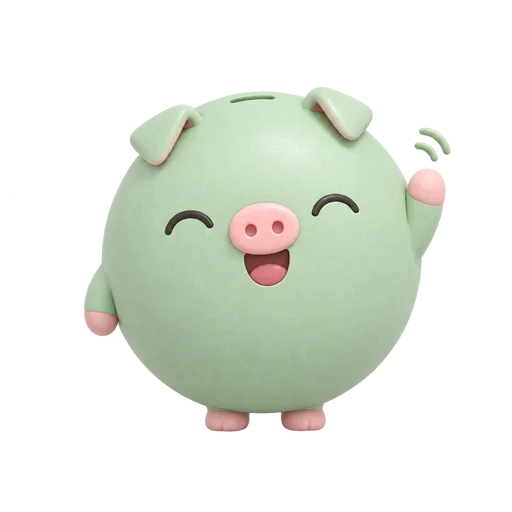
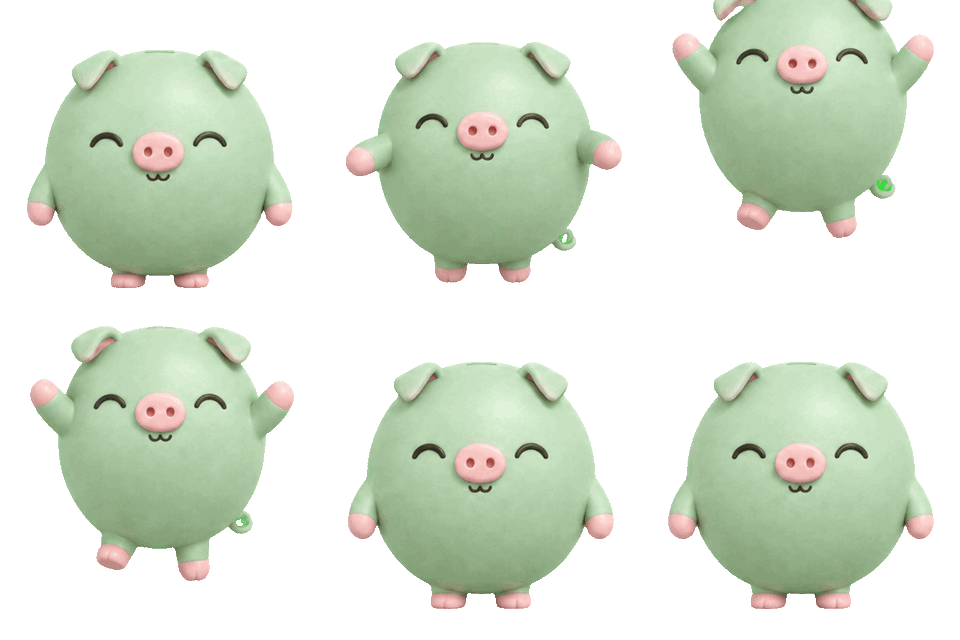
In the AI sticker generator we made Hi and Thumbs up as stills and Party as an animated GIF. Exports sized for Discord and Twitch are covered on the Discord emoji maker and Twitch emote maker pages.
Result: Stills: 1024 × 1024 PNG with real transparency, 19 and 23 seconds. GIF: 512 × 512, 8 frames, 117 seconds; frame 8 returns to the pose of frame 1, so the loop doesn't jump. At 32 pixels the round body and pink snout still read; the coin slot and the eyes disappear.
Drift and limits: The thumbs-up sticker grew a hand with a thumb that the base design doesn't have, and at the top of the GIF's jump the top of the head, coin slot included, is cut off by the frame.
Step 8: Animate the mascot
Animate a finished scene, not the turnaround sheet: the first frame decides the background, the framing and how the mascot looks for the whole clip.
In image to video we used the website hero as the first frame with the page's default model, Seedance 2.0 Fast, at 720p for 5 seconds. The prompt: "Penny waves at the viewer twice, then gives a small happy bounce in place and smiles. The floating coins drift slowly. The camera stays still." For a mascot that speaks, talking photo AI lip-syncs a still to a voice line; that page shows a clay cat mascot talking.
Result: 191 seconds and $0.76 for a 1280 × 720 clip with an audio track. The face, the coin slot and the colors held for all 5 seconds; she waved and the coins drifted, but the bounce is barely visible.
Step 9: Check consistency before you publish
Put every result next to the turnaround sheet and check the identity features one by one, then look at it at the smallest size it will be used.
- Silhouette and proportions: same body shape and the same head-to-body ratio as the sheet.
- The identity block, feature by feature: ears, snout, eyes, mouth, colors, tail, the signature detail.
- The smallest size: shrink stickers and icons to 32 pixels and check the mascot is still recognizable.
- Motion: watch GIFs and videos to the end and through one loop; check frame edges for cropping.
- Keep the kit together: the sheet, the identity block, the expression sheet, the approved stickers and scenes, and the prompts with their ratios.
How we tested
One mascot, one run per step, nothing picked out: every result we generated is on this page, including the ones that drifted.
All runs were made on 17 November 2026 with the same prompts and models the blubiu pages use. Costs are the model fees the provider charged us; on blubiu you pay in credits, and the Generate button shows the exact cost before you confirm. Penny and the savings app are fictional.
| Result | Model | Time | Model fee |
|---|---|---|---|
| Turnaround sheet | GPT Image 2.5 Flare, 2K | 46 s | $0.040 |
| Expression sheet | GPT Image 2.6 Flare, 2K | 24 s | $0.045 |
| 3 scenes | GPT Image 2.6 Flare, 2K | 29–54 s | $0.135 |
| Drift fix (1 retry) | GPT Image 2.6 Flare, 2K | 24 s | $0.045 |
| 2 stickers + 1 GIF | GPT Image 2.6 Flare | 19–117 s | $0.145 |
| 5-second video | Seedance 2.0 Fast, 720p | 191 s | $0.764 |
| Total, 10 generations | $1.174 |
When this workflow is the wrong tool
- You need a logo or wordmark: these tools make character art as PNG, GIF and MP4, not vector (SVG) files or a lockup with your brand name.
- You need a mascot costume or a physical figure: the images are not production drawings for a costume maker or a toy factory.
- Your mascot is a person: the mascot generator only draws animals; use character design for a human character.
- You need exact brand colors: the generator offers 12 named colors, and we did not test matching hex codes.
- You need legal certainty that the design is unique: nothing here checks whether a mascot resembles an existing one, so search before you register a trademark.
Where to start
AI Mascot Generator →
Design the base sheet: pick an animal, a use, a personality and a color, get front, side and back in one image.
Mascot Ideas →
Start from one of 14 finished mascot ideas and change it, instead of a blank form.
Character Expression Sheet Maker →
Twelve labeled expressions of the same character, to point at in later prompts.
AI Sticker Generator →
Chat stickers and looping GIFs of your mascot on a transparent background.
AI Image to Video Generator →
Turn a finished mascot scene into a short clip.
Talking Photo AI →
Make the mascot say a line, lip-synced to a voice.
FAQ
Can I use AI to create a mascot?
Yes. An image model can design an original mascot and keep it consistent, as long as every later image uses the same reference sheet. In our test one mascot went from a turnaround sheet to stickers and a video in 10 generations. You still need to check each result, because small features drift: here a snout lost its color and a sticker grew a hand.
How do I create my own mascot?
Decide where it will appear and the smallest size it must work at, design it as a front, side and back sheet in the AI mascot generator, write down its fixed features, then make expressions, scenes, stickers and video with that sheet attached as the reference.
How much does it cost to create a mascot?
With AI, the cost is the generations. Our whole test, 10 results from the turnaround sheet to a 5-second video, cost $1.17 in model fees, and $0.76 of that was the video. On blubiu each generation is paid in credits, the Generate button shows the price first, and the Free plan includes monthly credits. Hiring an illustrator or a costume maker is a different service, and we have no prices for those.
How do you make a good mascot?
Keep the silhouette simple, give it one signature detail, and test it at the smallest size it will appear. Penny's round body and pink snout still read at 32 pixels; her coin slot does not, so the slot is a detail for large images, not what makes her recognizable.
How do you make a mascot for a company?
Start from the brand's audience and tone, not from an animal you like: Penny is gentle because money is a stressful subject. Then list every place the mascot will appear, design one turnaround sheet, and produce each placement from that sheet so the character never changes between the website, the app and social posts.
What is a brand mascot?
A brand mascot is a recurring character that represents a company or product in ads, packaging, apps and social media, so people recognize the brand from the character alone. It only works if it looks the same every time, which is what the workflow on this page is for.
Sources and dates
- Questions in the FAQ come from Google's "People also ask" for ai mascot, how to make a mascot, company mascot and brand mascot (US, checked 17 November 2026).
- Discord's 32-pixel chat size for custom emoji comes from Discord's help center, cited on our Discord emoji maker page.