
AI Sticker Generator
An AI sticker generator turns your character into a matching set of chat stickers, as transparent PNGs or looping GIFs.
What is an AI sticker generator?
An AI sticker generator turns a character into chat stickers: you give it a character image or a short description, pick expressions such as Hi, LOL or Facepalm, and it draws one sticker per expression. blubiu's AI sticker generator keeps the same character across the whole set and outputs transparent PNG stickers or looping GIFs, with downloads sized for Discord, Twitch and 512-pixel sticker apps.
Checked 2026-11-08
Who it's for
- +You have a mascot, an original character or a brand character and want a sticker pack fans can drop into chats.
- +You stream or run a community and want stickers, server emoji and channel emotes that all show the same character.
- +You publish sticker packs on Telegram, WhatsApp or LINE and need consistent art for a dozen expressions fast.
- +You post as an IP character and want reaction images for replies, comments and announcements.
When not to use it
- −You want printed vinyl stickers or a die-cut sheet for a cutting machine. This makes digital chat stickers; a print shop needs its own template and bleed.
- −You need lettering on the sticker, such as OK! or GG. Stickers come out without text, so add captions in an image editor afterwards.
- −You want a longer animation with camera moves or sound. A sticker loop is about one second; animate a still in image to video instead. AI Image to Video Generator →
- −You don't have a character yet. Design one first by picking options, then bring it here. AI Mascot Generator →
How to make stickers with the AI sticker generator
- 01
Add the character
Upload a turnaround or one clear front view, or pick a character you saved earlier. No image yet? Describe the character in one line instead, for example a round red panda chef in a tiny white hat.
- 02
Pick expressions and the format
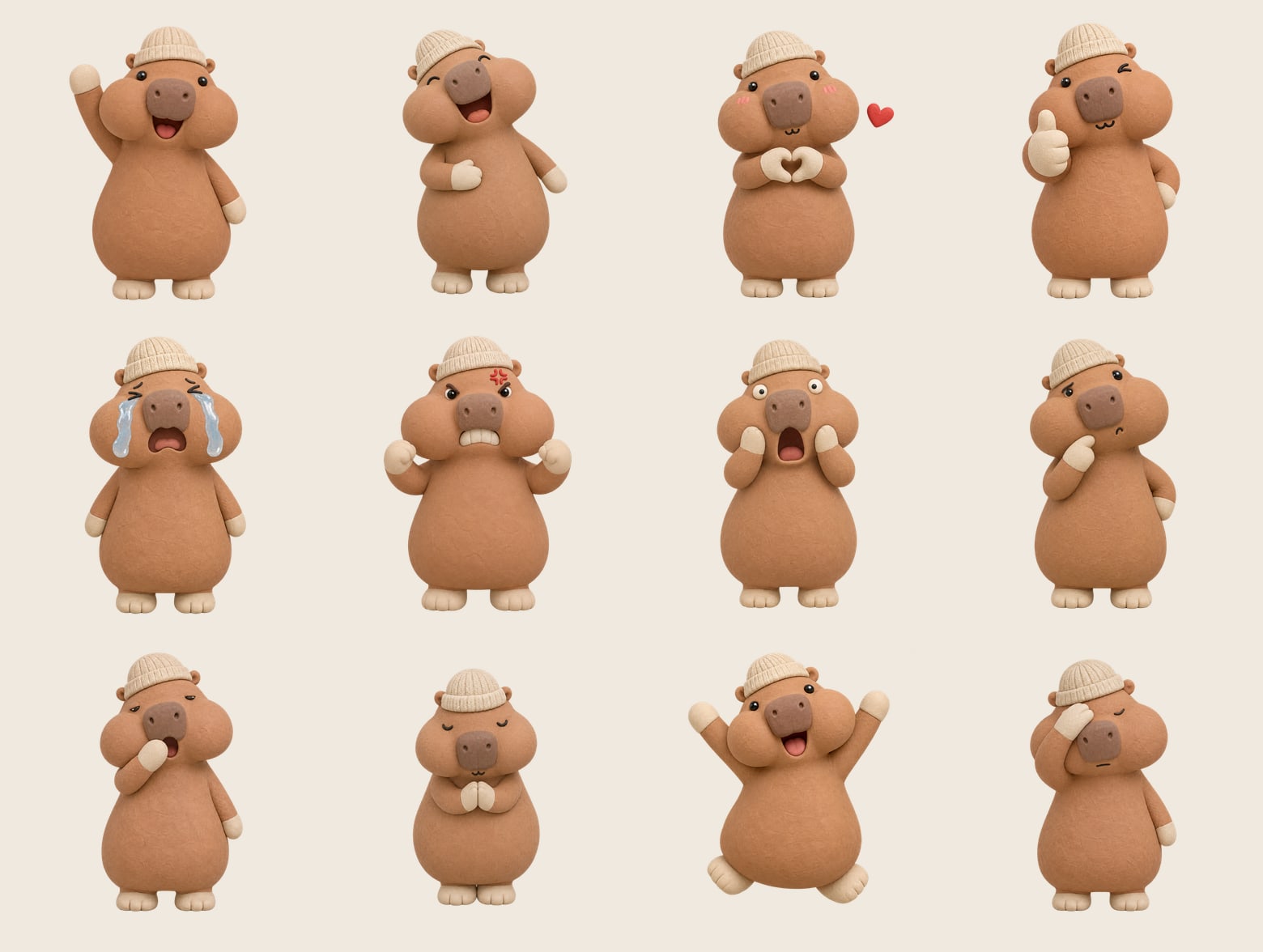
Tick up to 8 of the 12 expressions: Hi, LOL, Love, Thumbs up, Cry, Angry, Shocked, Thinking, Sleepy, Thanks, Party and Facepalm. Choose a still PNG or an animated GIF, full body or a face close-up, and an optional white sticker border.
- 03
Generate and download
Each expression becomes its own sticker and shows up in the results as it finishes. Download the original, or a copy sized for Sticker 512, Discord 128 or Twitch 112 with the transparency and animation kept.
Tips for better AI sticker generator results
Upload the character for a matching set
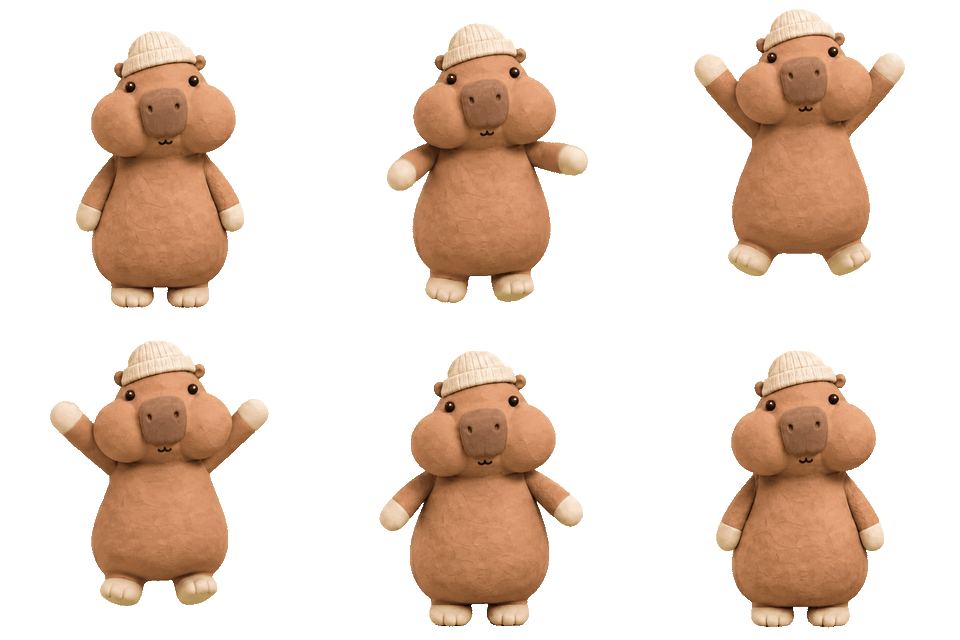
With a reference image, every sticker copies the same design. Our clay capybara kept its knit beanie, flat brown nose and cream paws across all 24 test stickers. With only a description, each sticker is drawn fresh: across four runs of the same red panda chef line, the apron stripes came out brown once, blue once and pale cream twice, and only one run added a red neckerchief.
Describe the face, not just the mood
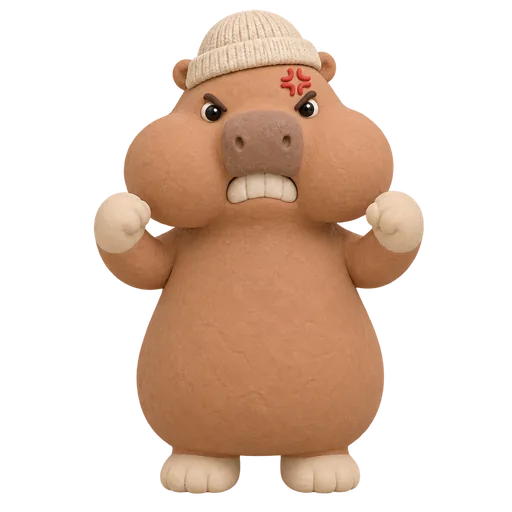
In the first round, a plain angry prompt came back with shut eyes and red cheeks, which read as shy. Every preset now spells out the face: for Angry, eyebrows slanted down toward the nose, glaring eyes, clenched teeth and a cross-shaped anger mark. If you add your own notes, describe eyebrows, eyes and mouth the same way.
Use the face close-up for small sizes
Chat apps shrink stickers and emoji a lot: Discord resizes emoji to about 32 pixels and Twitch shows emotes at 28 pixels in chat. A head-and-shoulders close-up keeps the expression readable at that size; full body works better for stickers that are shown large, as on Telegram or WhatsApp.
Make green characters as stills
Animated stickers are drawn on a pure green screen that is removed afterwards, so the green parts of a frog or a dinosaur can get cut out as well. Still stickers are drawn directly on a transparent background and keep every color, so make green characters as stills.
Add the white border for any chat theme
A dark character disappears on a dark chat theme, and a pale one on a light theme. The white border follows the character's outline like a die-cut sticker and keeps the shape readable on both; the corgi detective examples on the Twitch page use it.
Pick moves that finish in a second
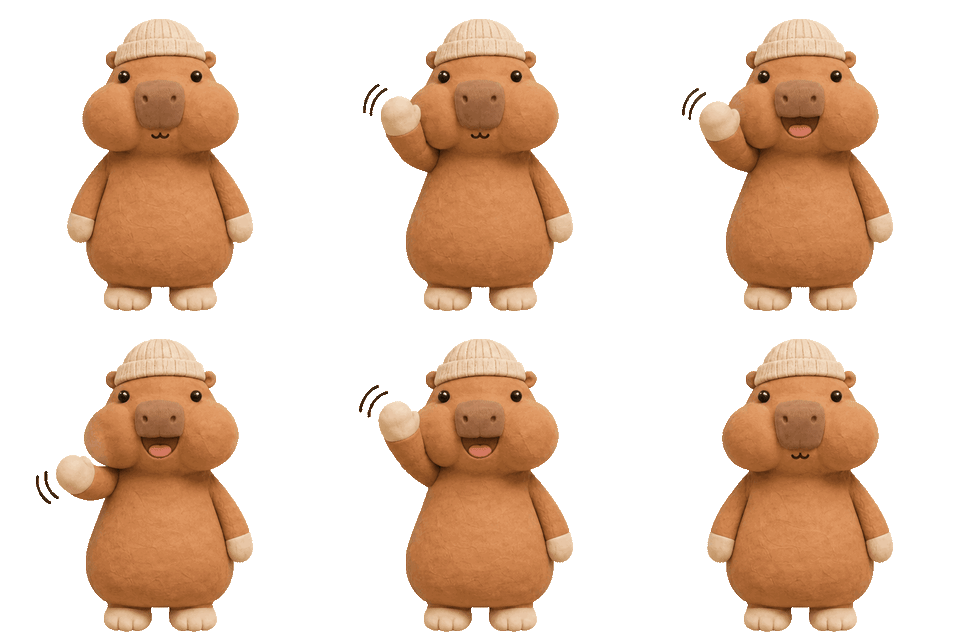
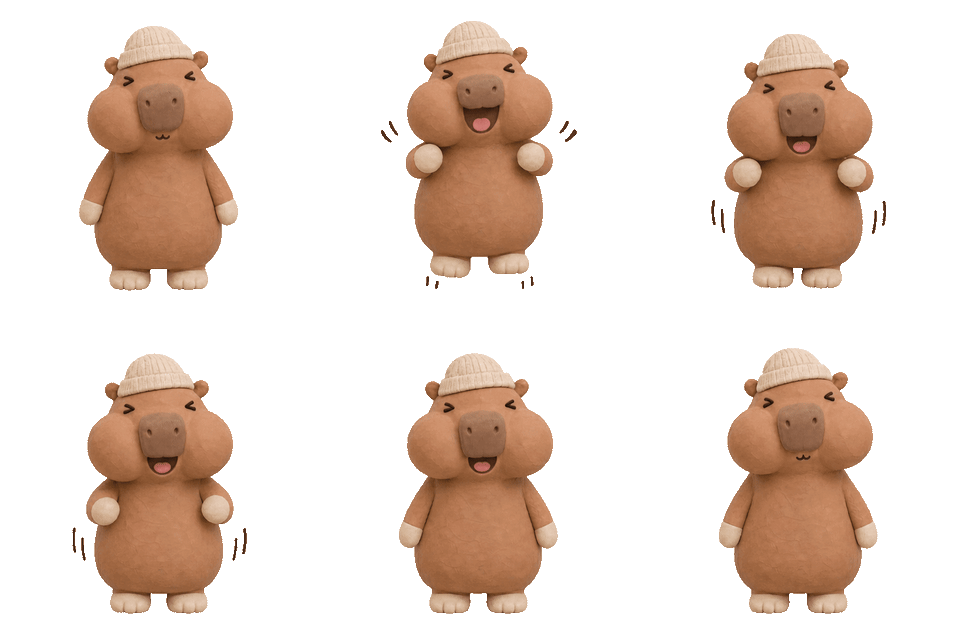
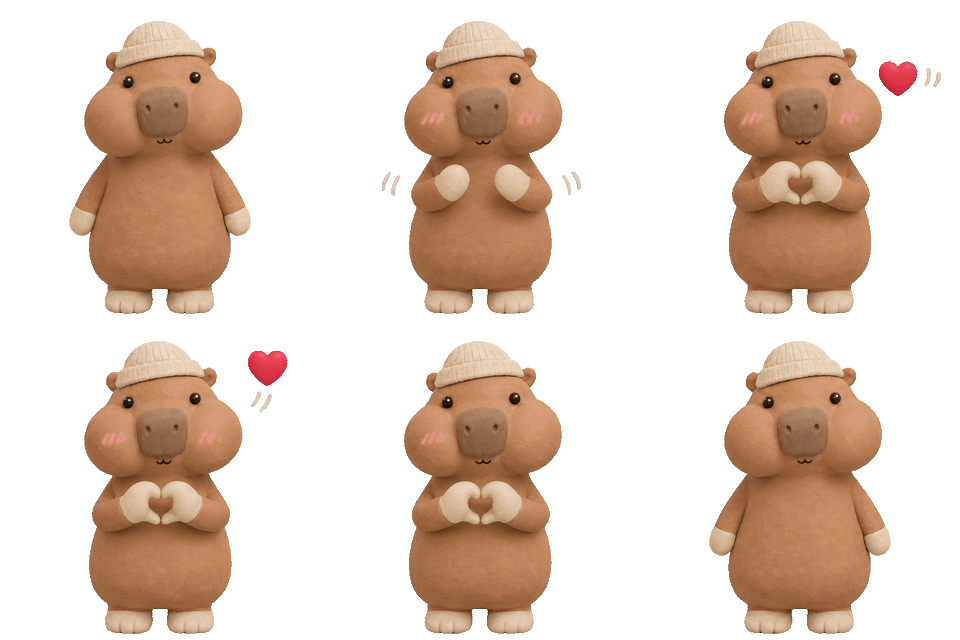
Each GIF is 8 frames at 120 milliseconds, a loop of about one second that starts and ends on the same pose. Quick moves such as a wave, a jump or a burst of laughter read best; a slow bow still fits but plays fast.
AI sticker generator examples
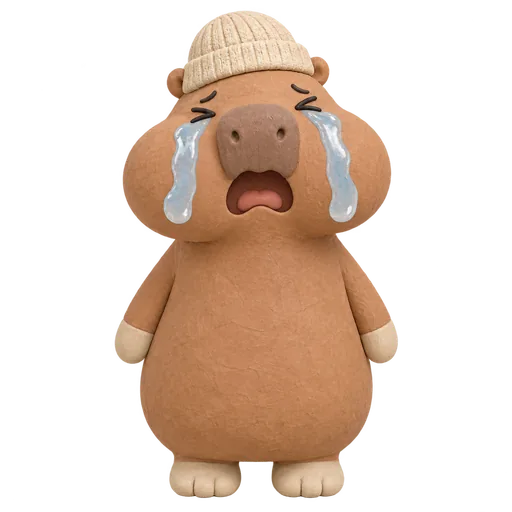
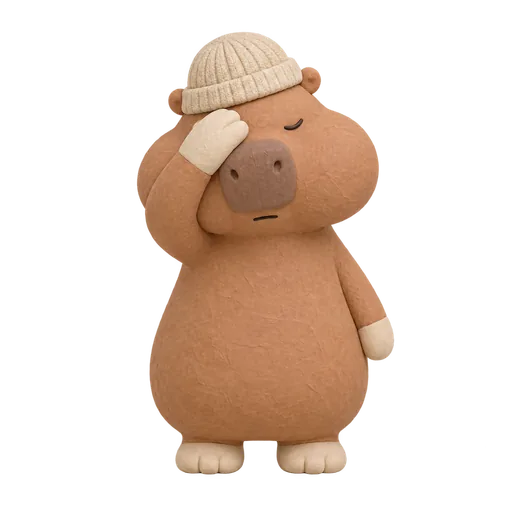
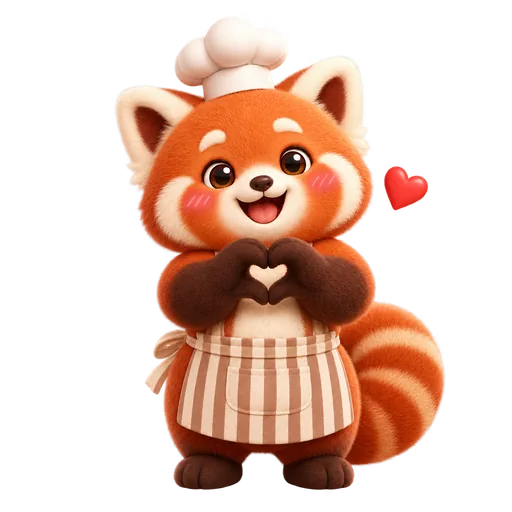
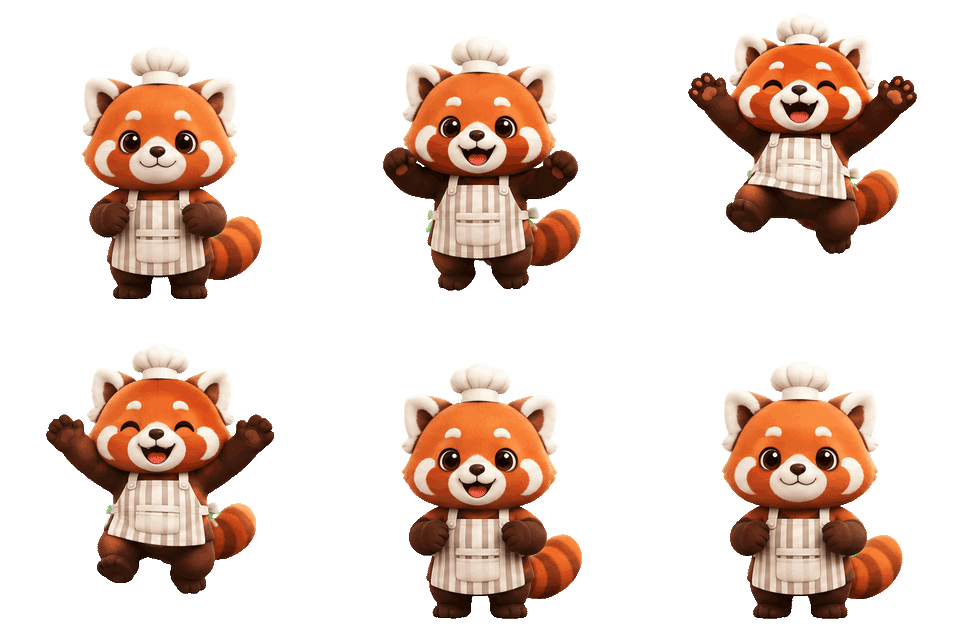
All of these were generated on blubiu.
AI sticker generator vs. similar tools
| Tool | You give | You get | Best for |
|---|---|---|---|
| AI sticker generator (this page) | A character image or a one-line description, plus up to 8 expressions | One transparent PNG (1024 px) or 8-frame GIF (512 px) per expression, with sized downloads | A consistent sticker pack of one character |
| Discord emoji maker | The same form, face close-up by default | 128 px emoji under 256KB, still or animated | Custom emoji for a Discord server |
| Twitch emote maker | The same form, face close-up with a white border by default | Emotes at 112, 56 and 28 px | Subscriber and follower emotes for a channel |
| Character expression sheet | A character image or description, a style and an optional name | 12 labeled expressions on one 16:9 sheet | Planning the faces before a sticker pack |
AI sticker generator FAQ
What is an AI sticker generator?
It is a tool that draws chat stickers for you. You bring a character and pick the expressions; it returns one sticker per expression with a transparent background, ready for chat apps. blubiu's version is built around keeping one character the same across the whole pack.
Is the AI sticker generator free to try?
Yes. The Free plan includes monthly credits you can spend here. Each sticker is priced on its own, and the Generate button shows the total for the expressions you ticked before you confirm. Failed stickers are refunded automatically; plans and credit packs are on the pricing page.
Are the stickers really transparent?
Yes. Still stickers are PNG files with a real alpha channel, so soft edges stay smooth on any background. GIFs are transparent too, but the GIF format only knows fully see-through or fully solid pixels, so their edges are a little crisper than the PNG's.
How do I keep the same character in every sticker?
Upload the character or pick a saved one from your library. With a reference image, each sticker copies the shape, colors and outfit from it. With only a description, every sticker is drawn fresh and small details drift between them.
How long does a sticker take?
In our tests a still took 13 to 18 seconds and a GIF 16 to 20 seconds on GPT Image 2.6 Flare; earlier GIF tests took up to a minute when the model was busy. A batch of stickers runs as separate jobs, so they arrive one by one.
Can I use the stickers on Telegram, WhatsApp or LINE?
Telegram and WhatsApp stickers are 512 pixels on a side, so take the Sticker 512 download and add it with Telegram's @Stickers bot or a sticker maker app, which converts it to the format the app wants. LINE Creators Market has its own sizes and counts, so resize to its spec before you submit.
Can I sell the stickers or use them for my brand?
It depends on the terms of the model behind the tool and on your rights to the character. Only upload characters you own or have permission to use; a sticker of someone else's character is still their character.
Why is there no text on the stickers?
Every sticker is asked to come out without lettering, because a word baked into the art can't be changed or translated later. Add captions in any image editor, or keep the sticker wordless so it works in every language.
Tools to pair with the AI sticker generator
Character Expression Sheet Maker →
See all twelve faces of the character on one sheet before you pick which ones become stickers.
Discord Emoji Maker →
The same stickers as server emoji: face close-ups downloaded at 128 px and under Discord's 256KB limit.
Twitch Emote Maker →
The same character as channel emotes, downloaded at 112, 56 and 28 px.
AI Mascot Generator →
No character yet? Design a mascot from a few picks, save it, then make its sticker pack here.
GPT Image 2.6 Online Image Generator →
The model behind every sticker: GPT Image 2.6 Flare, which draws transparent stills and short GIF loops.
Other creation tools
Wire script, character, shot and voice nodes into one pipeline and generate it clip by clip, with the same character in every clip.