
AI Mascot Generator
blubiu's AI mascot generator turns a few choices into an original mascot, drawn as a front, side and back turnaround sheet.
What is a mascot generator?
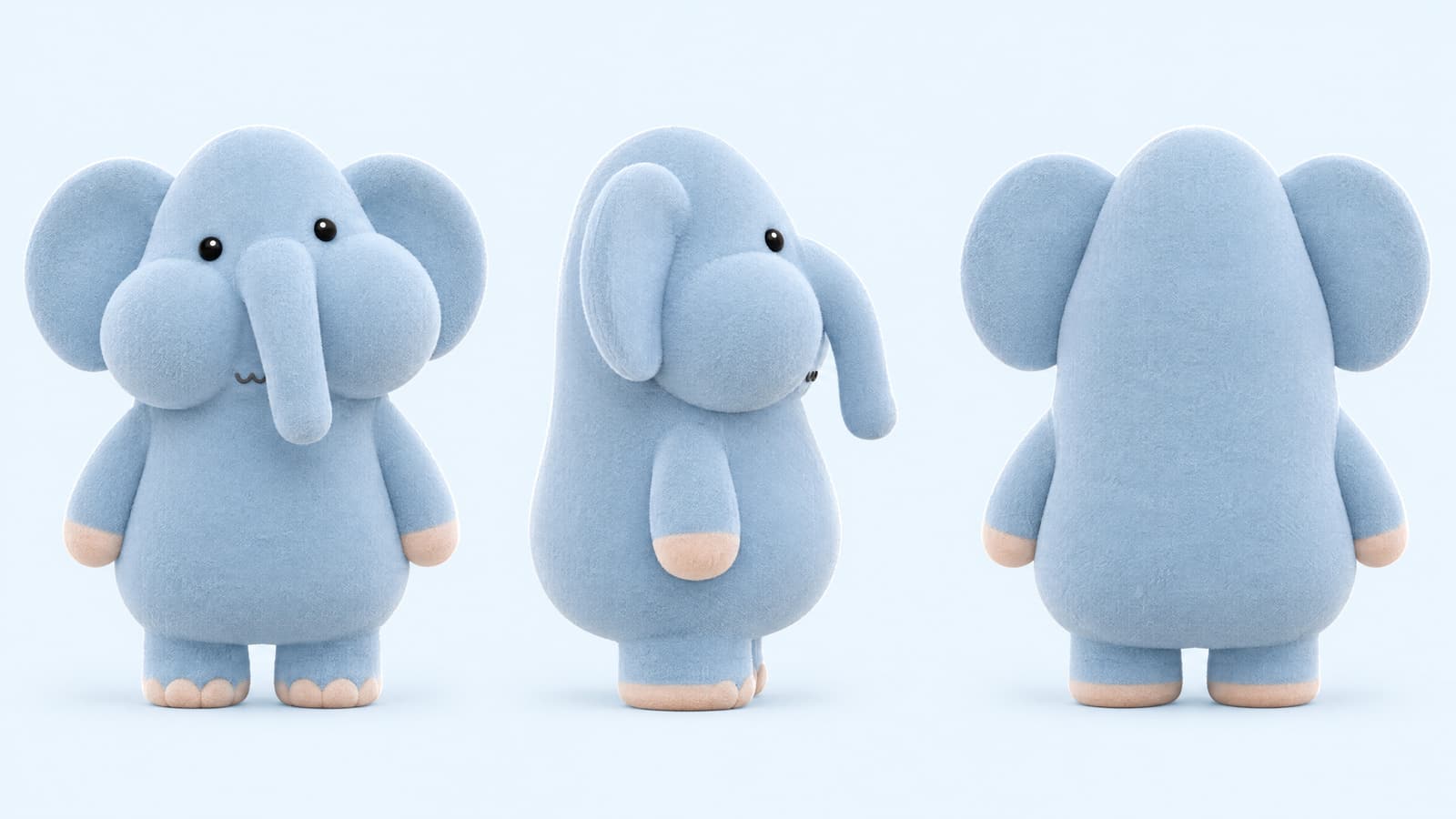
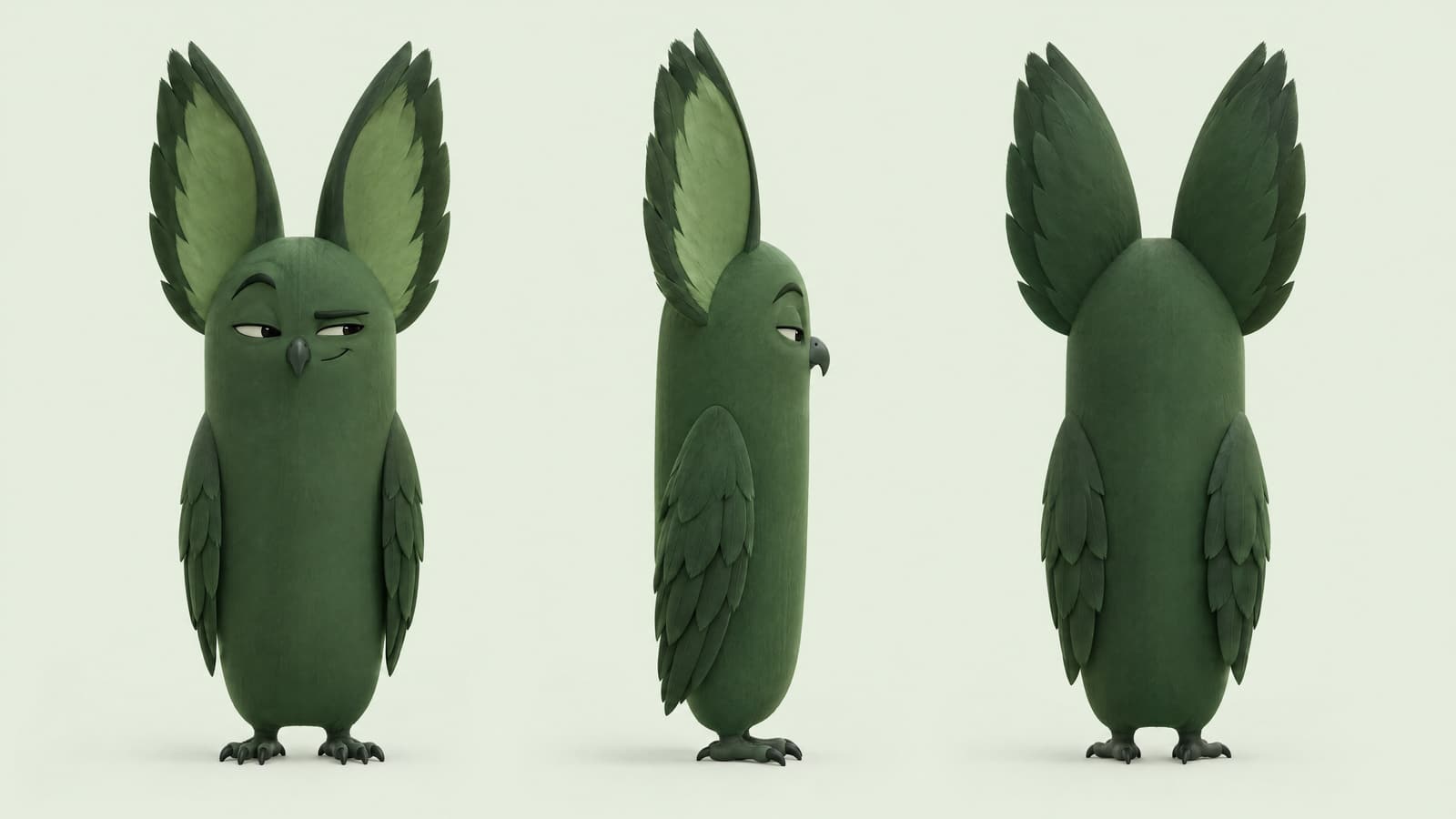
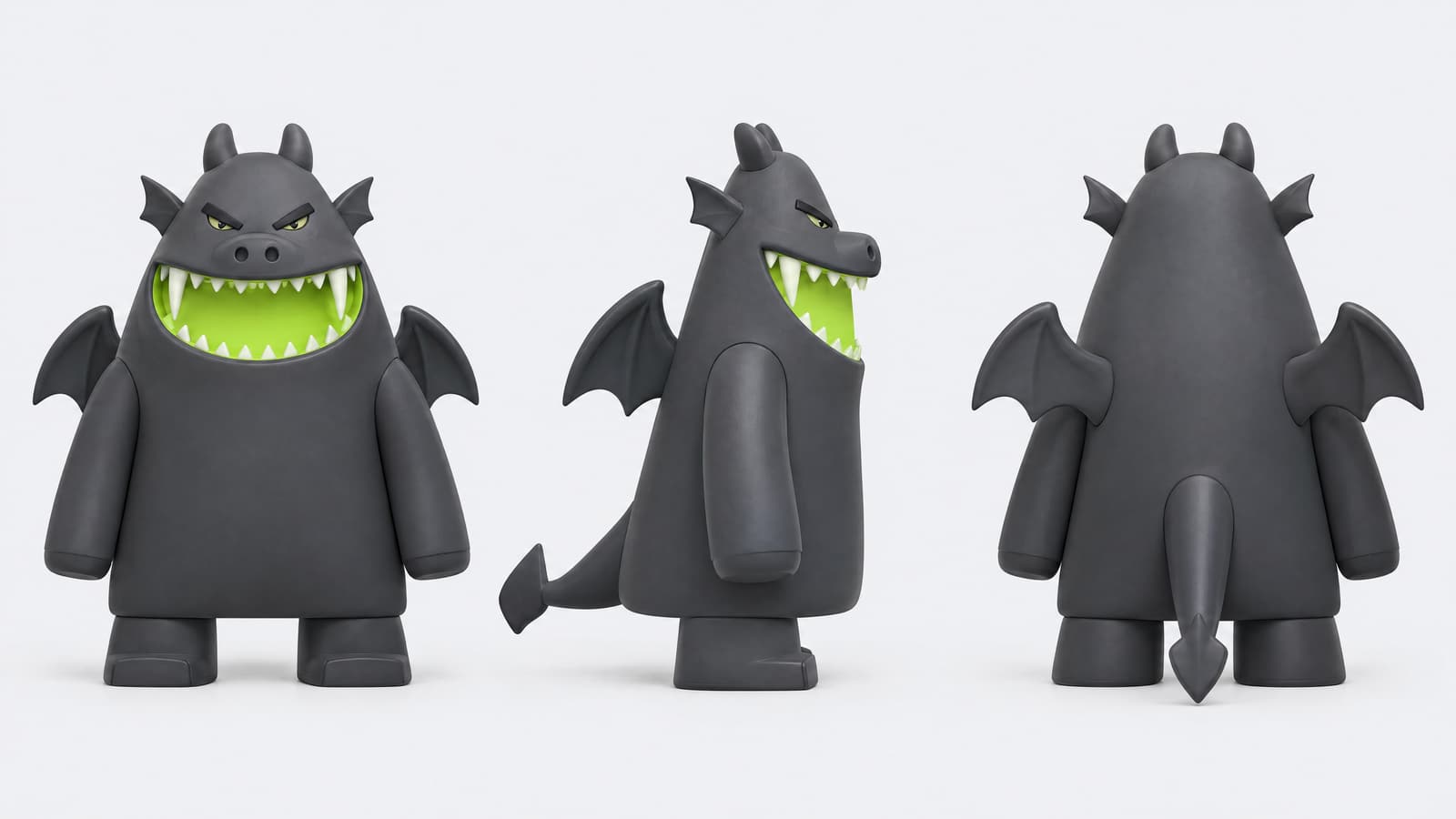
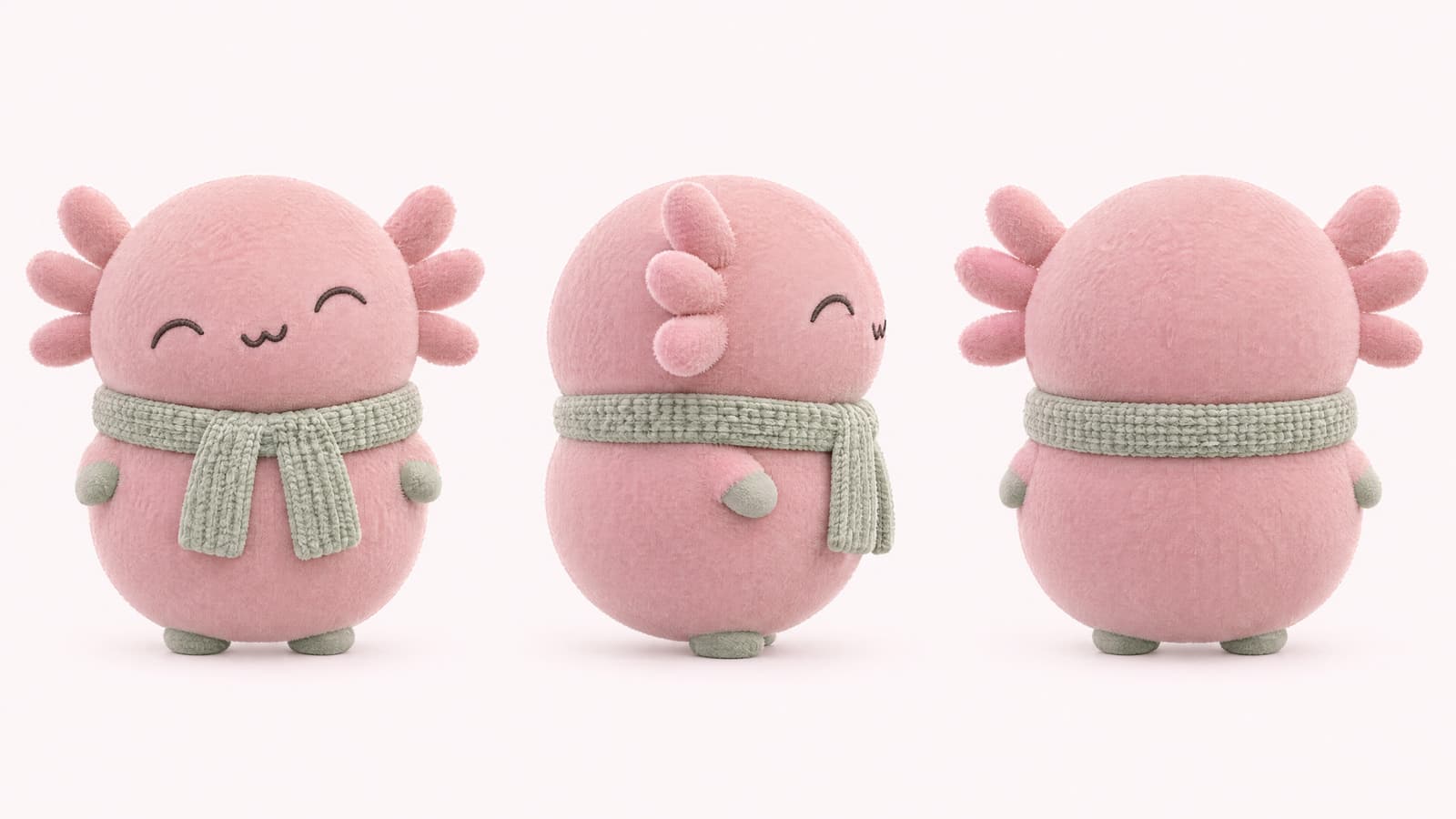
A mascot generator is a tool that turns a few choices into an original mascot design, and blubiu's AI mascot generator builds one from an animal, a use, a personality, a material and a main color, then draws it as a front, side and back turnaround sheet in one 16:9 image. Each personality brings its own body shape and face, so the result has a clear silhouette. Use it when you need a brand mascot, a collectible toy or a sticker character you will keep reusing.
Checked 2026-11-02
Who it's for
- +You need a brand mascot and want to see a few clear directions before you commit.
- +You are making a collectible toy, sticker set or animated character and want front, side and back fixed from the start.
- +You don't want to write prompts: you would rather pick options and see the result.
- +You run a shop, café or small brand and want a character that still reads when it shrinks to an app icon or a sticker.
- +You want the mascot to star in short videos later, so it needs the same look from every side; the sheet goes straight into reference to video.
When not to use it
- −Your character is a person, or you want to describe it in your own words: use Character Design. AI Character Turnaround Sheet Generator →
- −You want a mascot built from your brand story, with three distinct directions, expression sheets and pose sheets: hand it to the Agent. Go →
- −You already have the mascot and want one shareable board with turnaround, expressions, details and palette — make a reference sheet. AI Character Reference Sheet Maker →
How to use the AI mascot generator
- 01
Pick the basics
Animal, use, personality, material and main color. Everything else is suggested from the personality.
- 02
Adjust what stands out
Change the body shape or the standout feature (a huge mouth, huge eyes, big ears, a big tail or puffy cheeks). Under Details you can change the eyes, brows, nose, mouth, limbs and one outfit item.
- 03
Keep the sheet as your reference
Save it to your character library. Later images and videos use it as the reference, so the mascot stays the same from every angle: attach it in the image generator AI for scenes and posters, or in reference to video for clips.
Tips for better AI mascot generator results
Choose the personality first
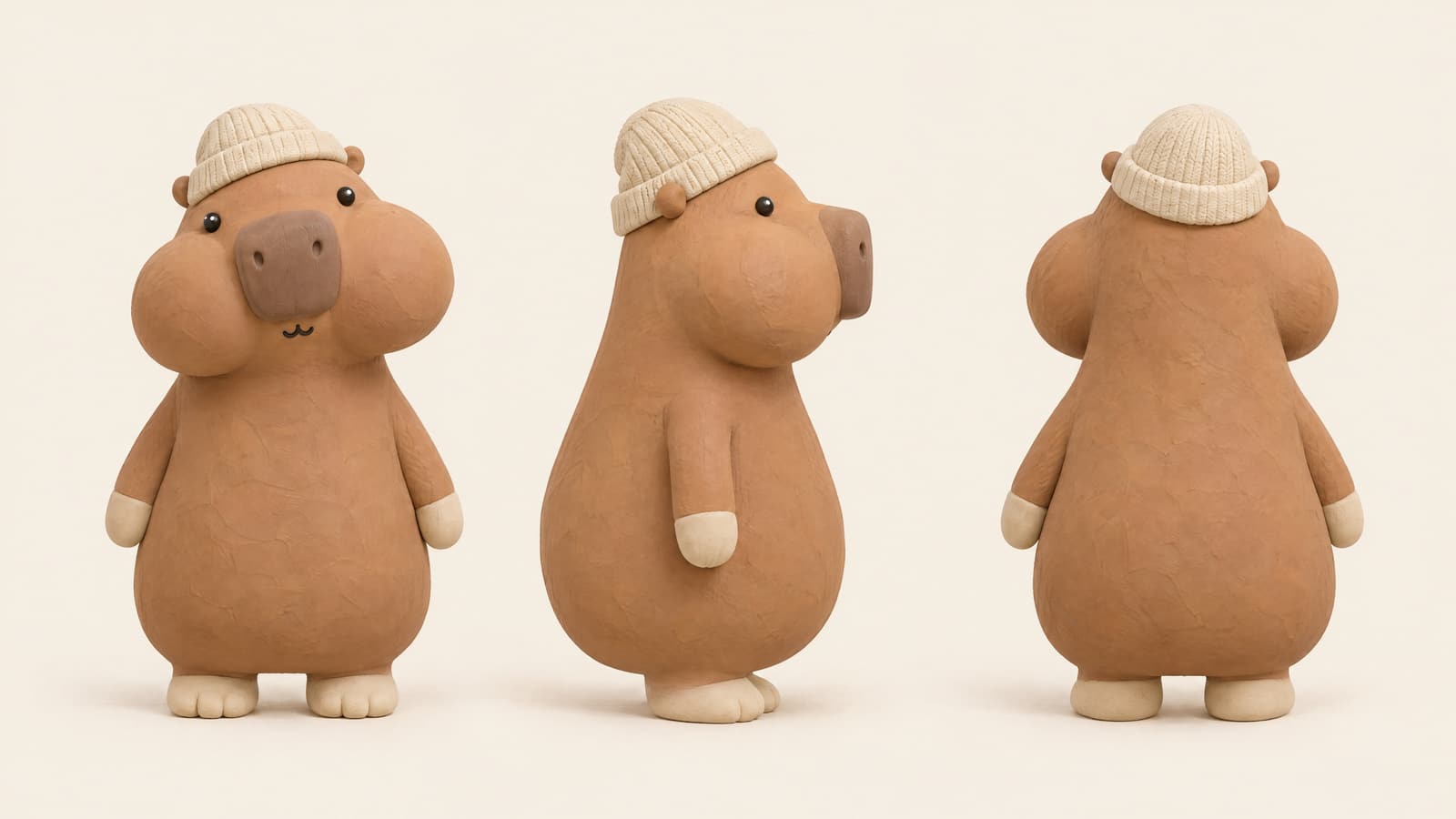
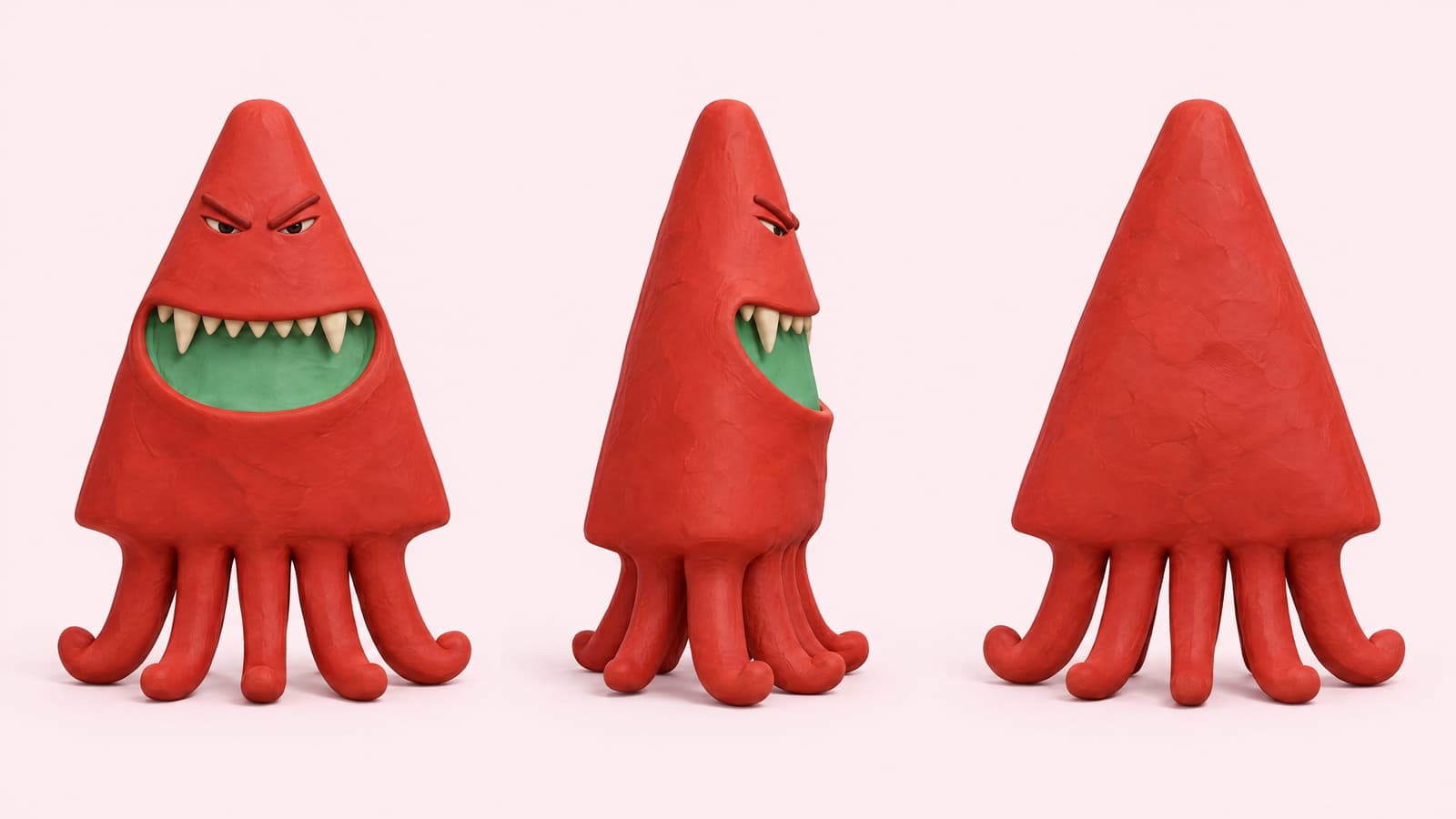
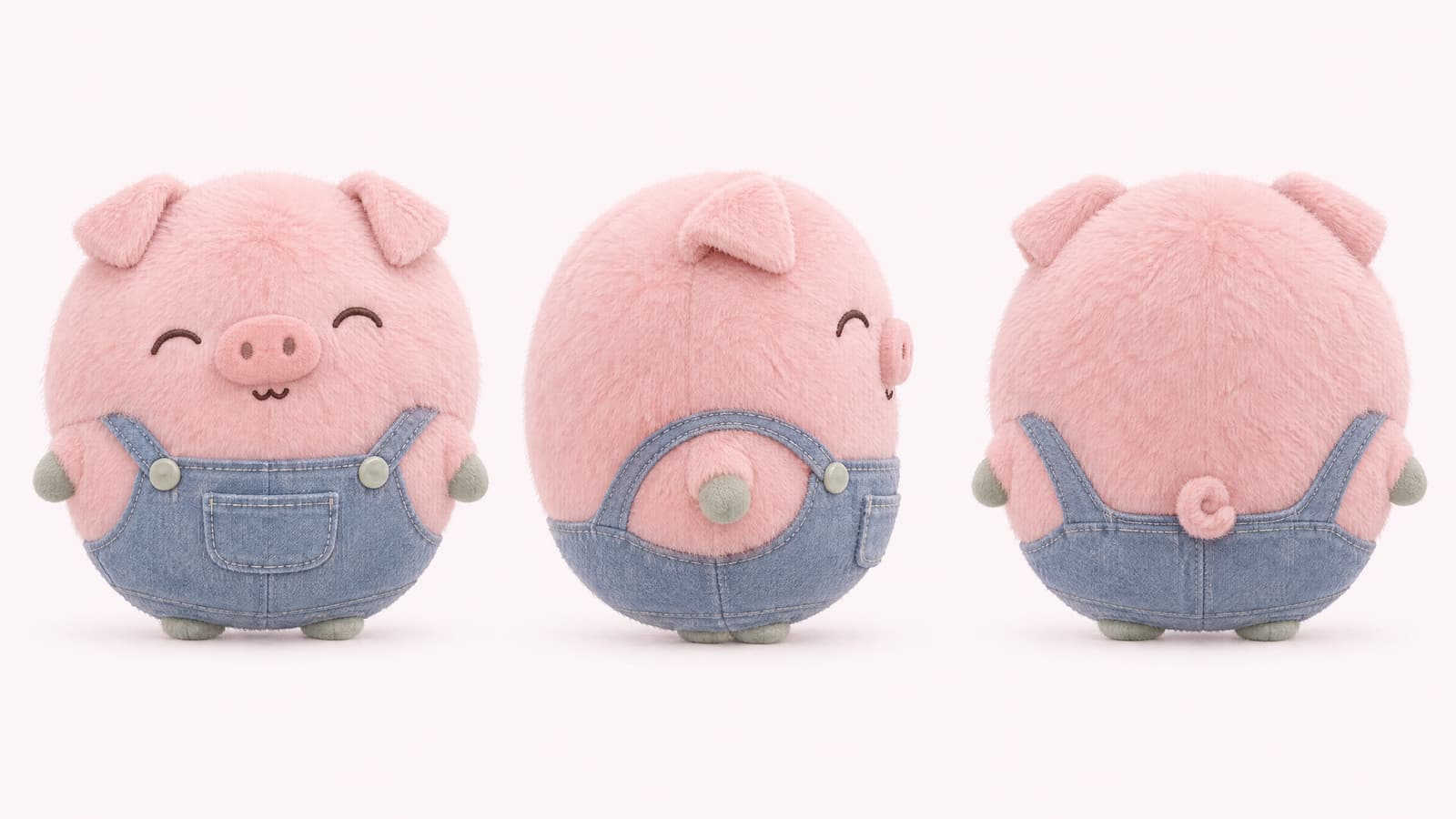
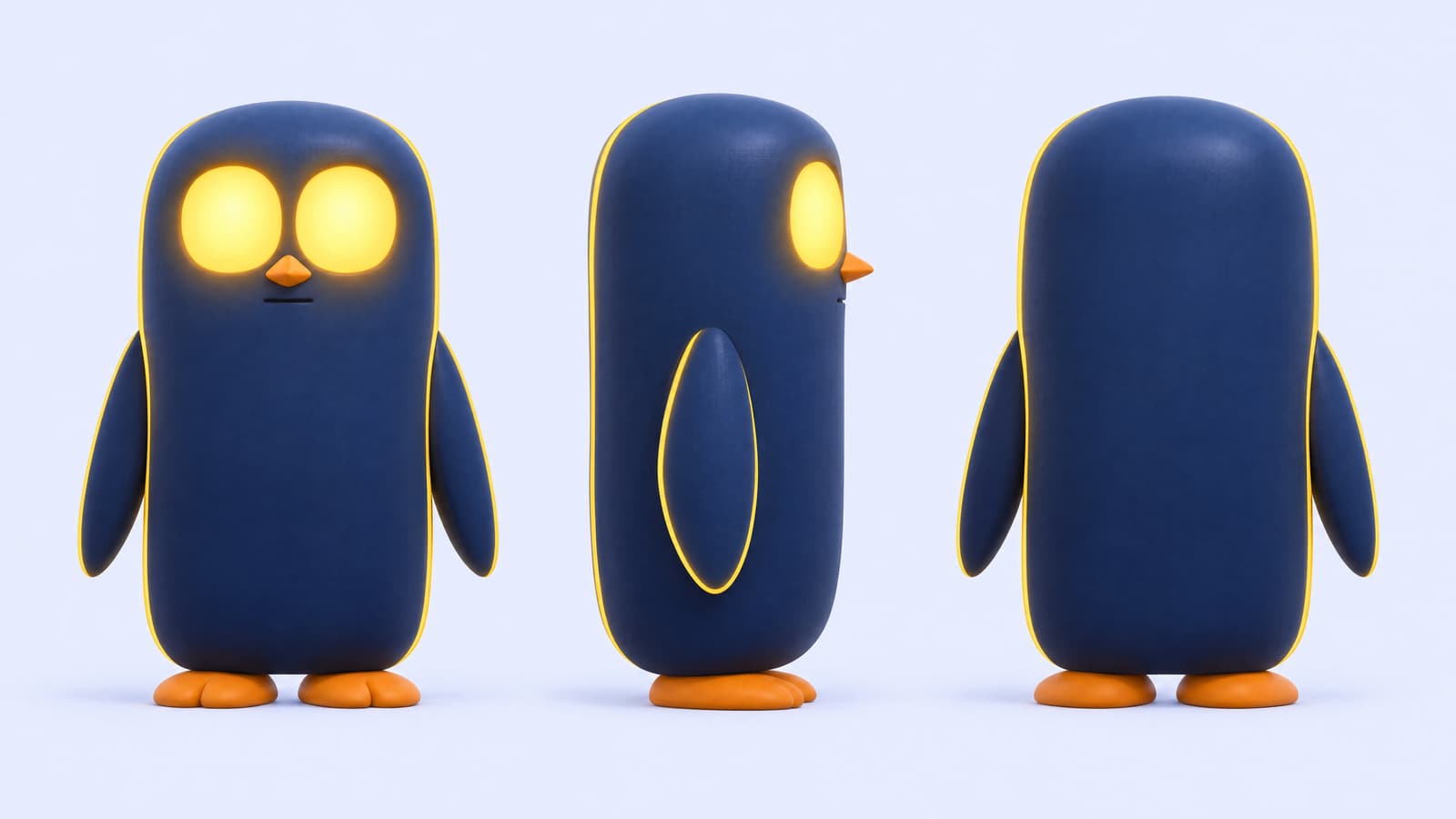
Personality fills in the body shape, standout feature, eyes, brows, mouth and color scheme. Dopey gives a pear shape with puffy cheeks and beady eyes; Fierce a triangle with a big mouth, fangs and sturdy limbs; Sly a tall capsule with a big tail and a smirk; Gentle a round ball with smiling eyes. Generate once with the suggestions, then change one item at a time.
Tactile materials with a bold shape stood out
Before launch every option was test-drawn on the same base character, 72 images in all. Six of the eight kept as examples on this page use a tactile material (flocked, clay, plush or vinyl) on a strong body shape; the other 64 were judged too ordinary. The use sets the starting material: brand mascot and animated character start as 3D animation, collectible toy as vinyl, sticker as 2D flat. Then pick one of 12 main colors and a scheme: one hue, bold contrast or pastel.
Exaggerate what the species is known for
Exaggerating a feature can change the species. In testing, enlarged round ears turned a hamster or a bear into a mouse, which is why Big ears is greyed out for them, and a T-rex with the Big head shape and a big mouth read less clearly as a dinosaur. A fox's big tail stayed a fox tail. When the species must be obvious, enlarge something that animal is famous for: a fox's tail, a rabbit's or an elephant's ears.
Read the summary line before you generate
Above the Generate button, the mascot generator sums up in one plain sentence what you will get. With the defaults it reads: A dopey grape cat shaped like a pear, with puffy cheeks, 3D animation brand mascot. If that sentence is not the mascot you have in mind, change the options first; adjusting them costs nothing, only generating does.
One extra detail, one clothing item
The Anything else line adds one detail, such as a tiny bell on a ribbon around the neck; keep it short (it is cut at 160 characters) and in English, which is read more accurately. Clothing comes from the Outfit option: one item, the same in all three views. The sheet has no props or handheld objects, so put signature items on the body.
Planning video? Know how the shapes travel
Every body shape in the mascot generator except Big head fuses head and body with no neck. That is what makes a mascot read as a mascot, and it is also what struggled in our recast video tests: a robot with no clear line between head and body was split into two segments, and a short, squat character was stretched to the dancer's build, while characters with a clear head, torso and limbs swapped in well. For new shots, reference to video starts from your sheet instead of someone else's body.
AI mascot generator examples
All of these were generated on blubiu.
AI mascot generator vs. similar tools
| Tool | You give | You get | Best for |
|---|---|---|---|
| AI mascot generator (this page) | Choices: animal, use, personality, material and main color; no prompt needed | One 16:9 2K turnaround: front, side and back on a pale tint of the main color | Animal brand mascots, collectible toys, stickers and animated animal characters |
| Character turnaround sheet | One line in your own words, a style, up to 2 reference images | The same front, side and back layout | Characters the options cannot express: people, food, objects, robots, or a design you already have |
| Character reference sheet | A name, a short description, a style and an optional banner line | A 16:9 4K board: turnaround, six expressions, detail callouts, palette and traits | Presenting the finished mascot to a client or on social media; drawn from text, not from your sheet |
| Consistent character sheet | A description of a person or up to 2 face photos | Three face close-ups plus front, side and back full body | Human characters such as AI influencers; not animals |
AI mascot generator FAQ
What does the mascot generator make?
One 16:9 image with the same mascot three times: front, side and back, at the same size and pose, on a light background that matches its main color. It is a model sheet, so you can reuse it as a reference for later images and videos.
Why are some options greyed out?
They clash with what you already picked. A huge mouth leaves no room for big eyes, so big eye types are off. Big ears are only offered for animals whose ears are already their trademark: in testing, a hamster or bear with enlarged ears turned into a mouse.
Do I need to write a prompt?
No. Every option is a tested sentence, and the tool puts them together in a fixed order. You can add one extra detail in your own words under Details.
Can I use an animal that is not in the list?
Yes. The list has 24 animals; for anything else choose Other and type the animal's name, such as axolotl, in English for the most accurate result. The generator keeps the two or three features that make that animal recognizable.
When should I use the Agent instead?
When the mascot has to carry a brand idea: the Agent asks about your audience and story, designs three different directions and then makes expression and pose sheets. The mascot generator is faster when you already know roughly what you want.
Is the AI mascot generator free to try?
Yes. The Free plan includes monthly credits you can spend here, and the Generate button shows the exact cost before you confirm. Changing options is free; only generating uses credits, and failed generations are refunded automatically. Plans and credit packs are on the pricing page.
Which model draws the mascot?
GPT Image 2.5 Flare at 2K, the same model used when every option was test-drawn before launch, so the options behave the way they did in testing. The model is fixed on this page.
Can I upload my own sketch or logo?
No. The mascot generator has no image upload: every part of the design comes from the options plus one line of extra detail. To start from a sketch or an existing character, use the character turnaround sheet generator, which takes your own description and up to two reference images and draws the same front, side and back layout.
Can I animate my mascot?
Yes, with the sheet as a reference. Attach it in reference to video to put the mascot into a new shot, or swap it into an existing clip with recast video. Motion transfer is not the route: it needs a full-body photo of a real person, and animal characters were rejected in testing.
How is it different from the character turnaround sheet generator?
Both draw a front, side and back sheet in one 16:9 image. This one builds the design from tested options, so you never write a prompt and each choice behaves predictably. The character turnaround sheet generator works from your own words and reference images, which suits people, objects, food and designs the options cannot express.
Tools to pair with the AI mascot generator
AI Character Reference Sheet Maker →
Present what the mascot generator made: describe it in the same words and get a board with expressions, callouts and a palette for clients or social posts.
Image Generator AI →
Put the mascot into scenes, posters or product shots by attaching the sheet as one of up to 4 reference images.
AI Image to Video Generator →
Animate a scene: use an image of the mascot as the first frame and describe how it moves.
Create Video with AI →
Put the mascot into a new shot: attach the turnaround as a reference image and describe the action.
Recast Video with AI →
Let the mascot star in an existing clip of up to 15 seconds; non-human characters work when the body has a clear head, torso and limbs.
Talking Photo AI →
Make the mascot talk: use its front view as the photo, type a line, and it speaks with matching expressions.
Other creation tools
Wire script, character, shot and voice nodes into one pipeline and generate it clip by clip, with the same character in every clip.