
GPT Image 2.6 Online Image Generator
GPT Image 2.6 is OpenAI's newest image model, in a fast Flare version and a careful Sunburst version.
What is GPT Image 2.6?
GPT Image 2.6 is the image model OpenAI released in November 2026, in two versions: Flare, built for speed, and Sunburst, built for detail and steady edits. On blubiu both versions turn a text prompt, or up to 4 reference images, into a still picture at 1K, 2K or 4K, at medium quality. The price depends on the version and the size; the table above lists it.
Developer: OpenAI · Checked 2026-11-07
What GPT Image 2.6 is good at
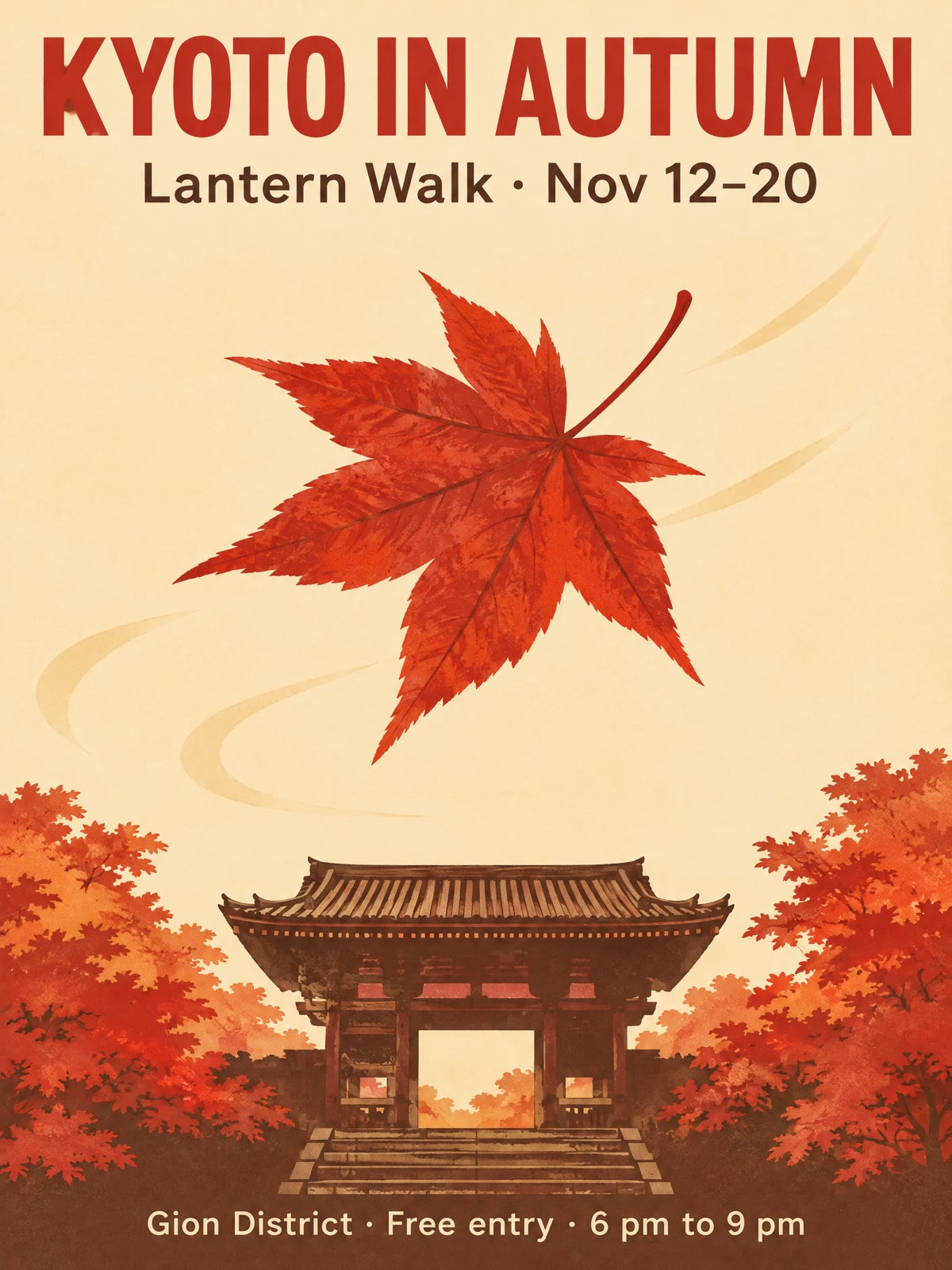
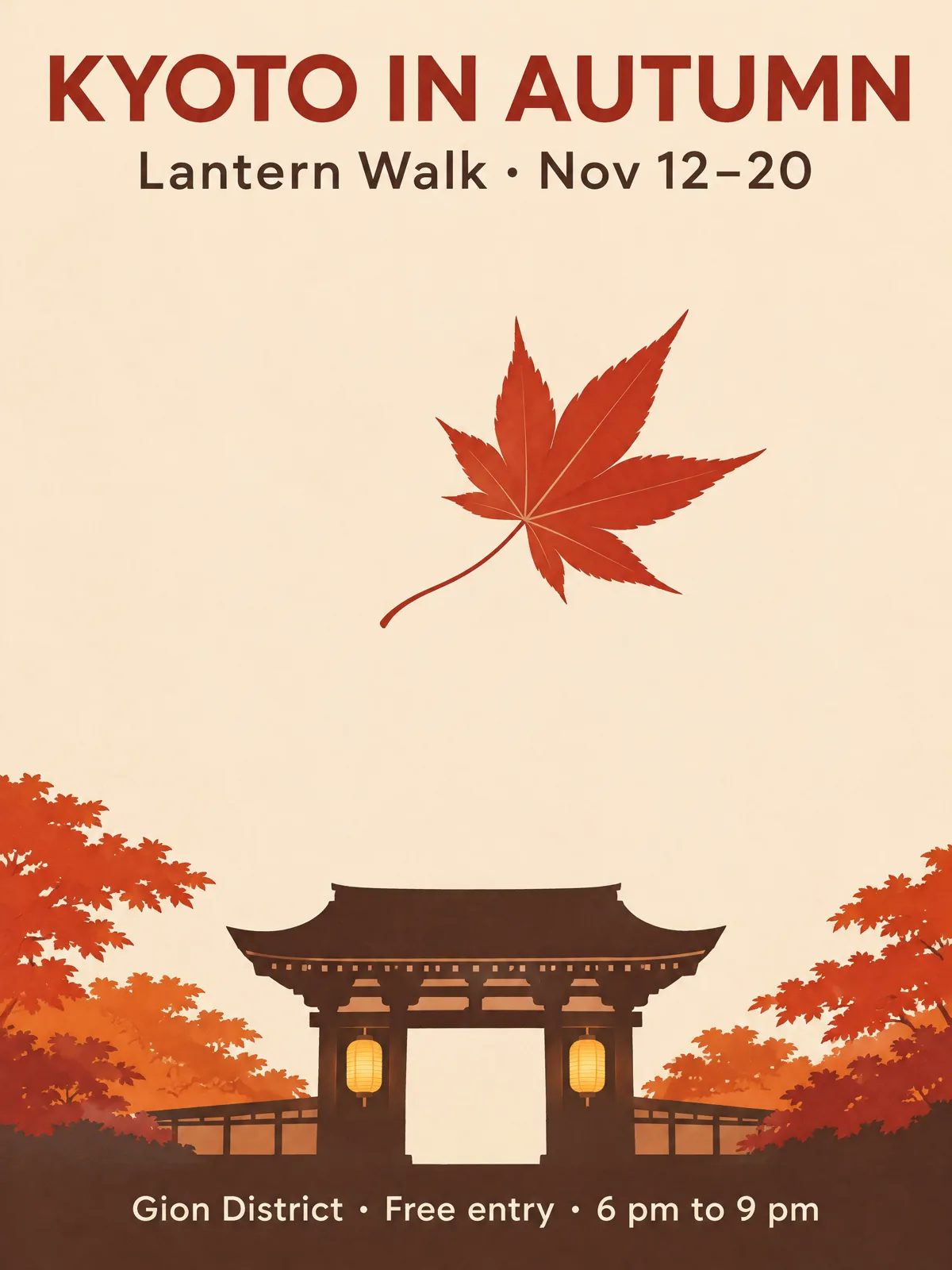
- +Posters and cards with exact wording: on a 2K travel poster, both versions wrote the title, the date line and the small footer letter for letter.
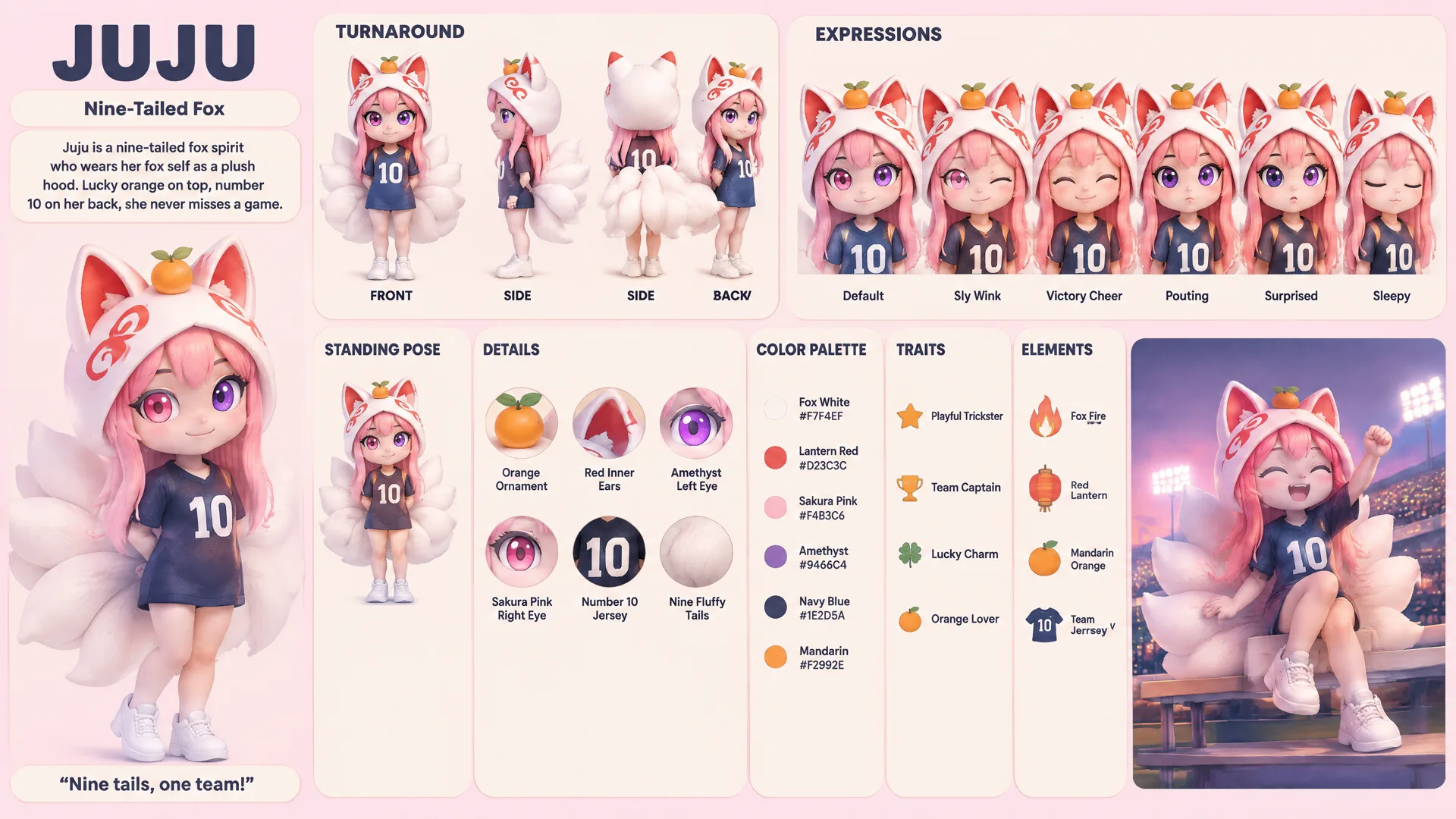
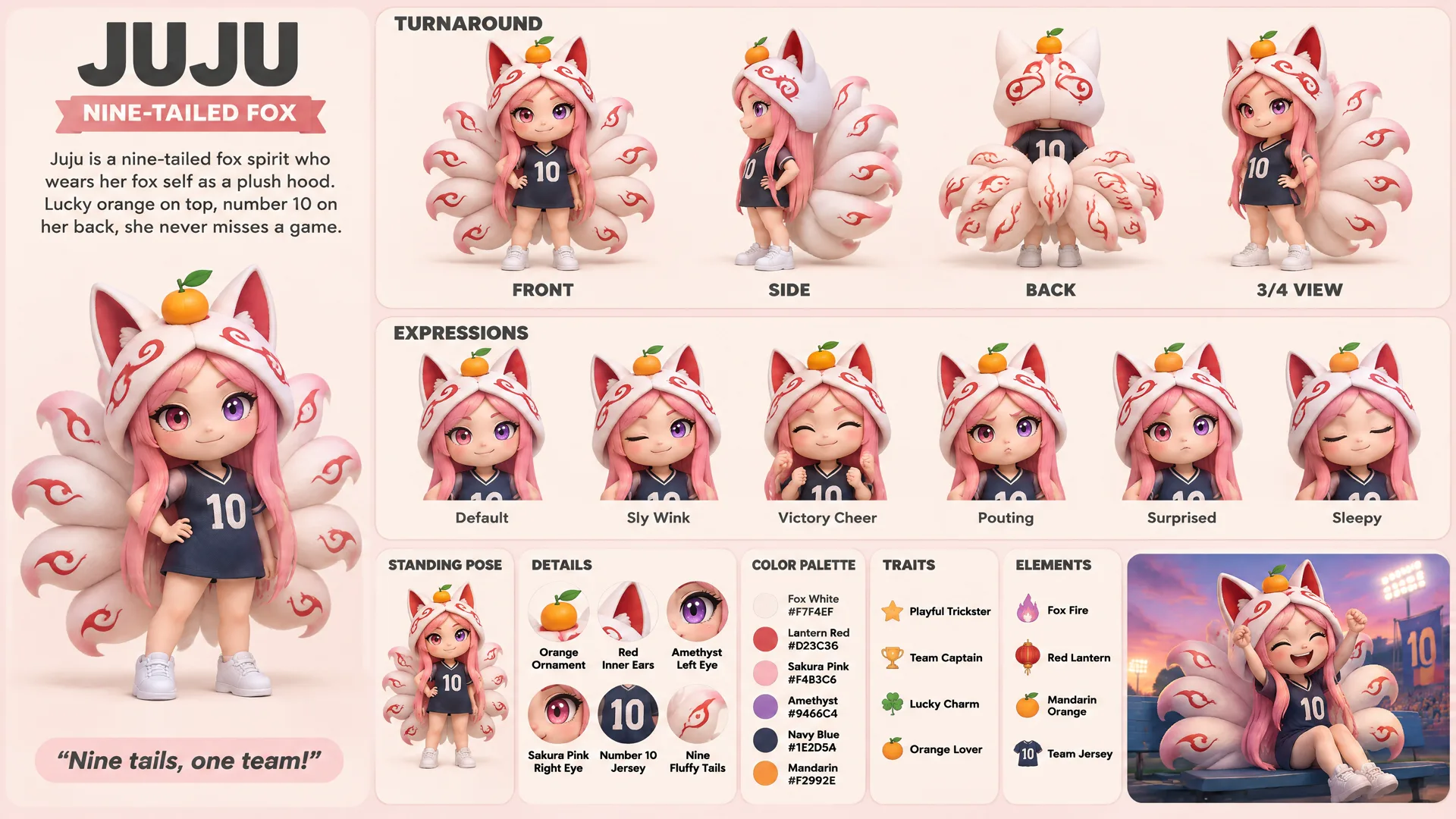
- +4K sheets packed with labels, with Sunburst: it named every panel of a character reference sheet correctly, where Flare repeated one label and misspelled another.
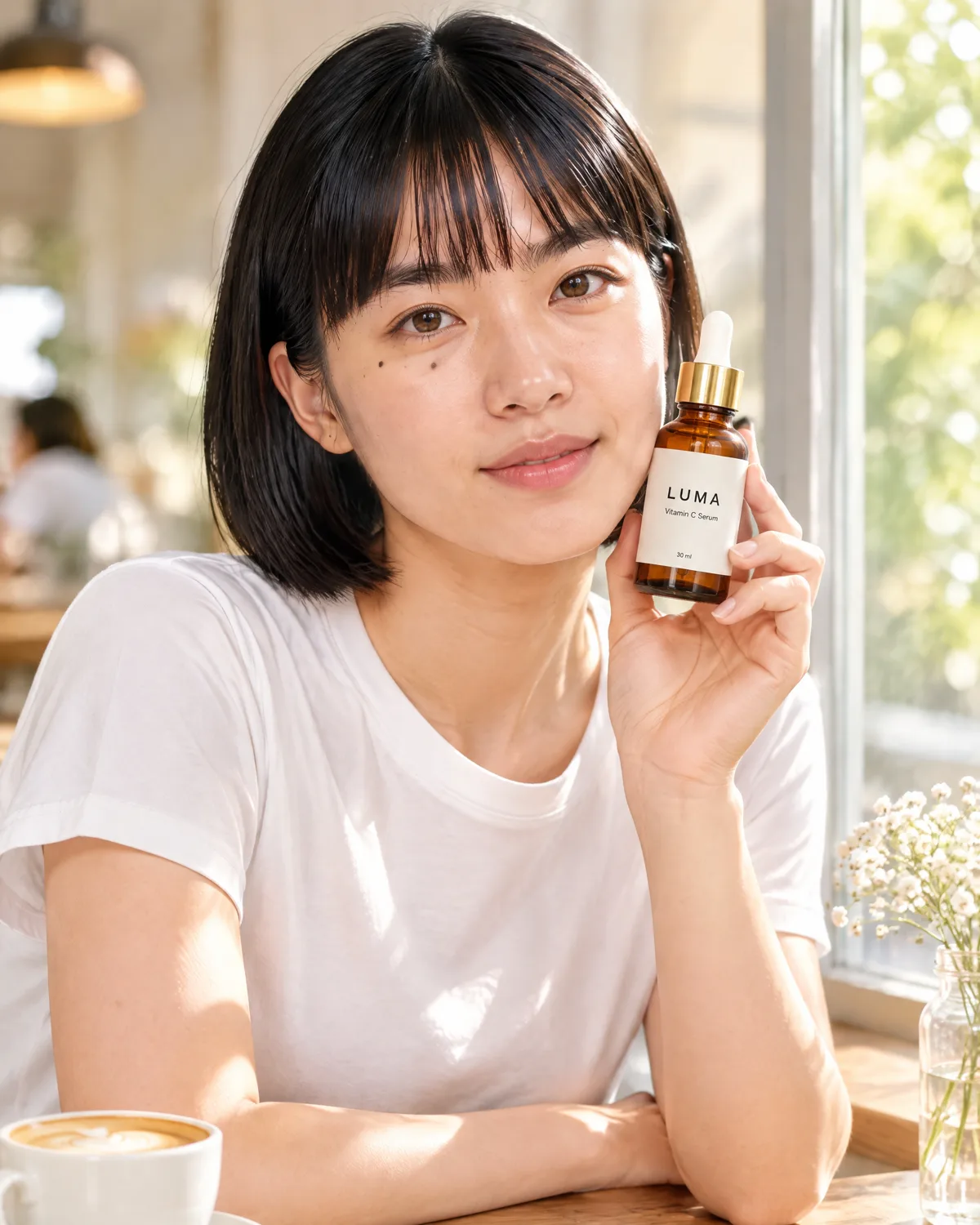
- +A person and a product in one shot: given a portrait and a product photo, Flare kept her face and haircut, and copied the bottle's label word for word.
- +Fast drafts with Flare: a full 4K sheet came back in about 20 seconds, so you can try several layouts before you commit to one.
- +Choosing the frame up front: portrait, square or wide, from 9:16 to 21:9, at 1K, 2K or 4K.
When not to use it
- −You need an animated GIF, an SVG file, an edit guided by marks drawn on the image, or a transparent background. OpenAI's API offers these for GPT Image 2.6, but blubiu runs it for still images only.
- −You want the cheapest draft. GPT Image 2 costs less at every size and is good enough to test a layout. See GPT Image →
- −You can't wait minutes for a 4K image. Sunburst took between about 1 and 4 minutes per 4K sheet in our runs; use Flare and proofread the text yourself.
- −You need motion. Use the still as the first frame in image to video.
GPT Image 2.6 versions and specs
| Version | Inputs | Resolution | Price |
|---|---|---|---|
| GPT Image 2.6 Flare | Text, One reference image, Several reference images | 1K / 2K / 4K | 1K 15 · 2K 15 · 4K 28 credits/image |
| GPT Image 2.6 Sunburst | Text, One reference image, Several reference images | 1K / 2K / 4K | 1K 15 · 2K 15 · 4K 28 credits/image |
Standard prices, read live from the platform catalog; once signed in, the Generate button shows your account's actual price. Failed generations are refunded.
How to prompt GPT Image 2.6
Quote every word you want on the image
Put each line of text in quotes and say where it goes: title at the top, date under it, small print at the bottom. End with "No other text" so the model doesn't invent extra lines. Our poster example was written exactly this way, and both versions got every word right.
Draft with Flare, finish with Sunburst
Flare is the quick way to settle the layout, colors and wording. When the final image is 4K and full of small labels, rerun it with Sunburst: on our character sheet it fixed the labels Flare got wrong, at the cost of a few minutes' wait.
Name each reference's job
With two or more references, say which is which: "the woman from image 1 holds the bottle from image 2". Then list what must not change, such as her face, her haircut and the bottle's label. Unnamed references get blended in ways you can't predict.
Pick the size for your smallest text
A poster with three lines of text is fine at 2K. A sheet with dozens of small panels and labels needs 4K, or the letters blur into shapes.
Choose the frame before you generate
Set the aspect ratio first; cropping later cuts off text you placed near the edges. If the picture will open a video, use the video's ratio from the start.
Say what must stay plain
Sunburst sometimes adds details nobody asked for: lanterns on a temple gate, red patterns on a fox's tails. If something must stay simple, say so in plain words, for example "the tails are plain white, with no patterns".
GPT Image 2.6 examples
All generated on blubiu, unedited.
GPT Image 2.6 FAQ
What is GPT Image 2.6?
It is OpenAI's image model from November 2026. It comes in two versions: Flare, which OpenAI presents as the fast one, and Sunburst, which it presents as more detailed and more consistent from one edit to the next. On blubiu you can use both in the browser, with no API key.
Flare or Sunburst: which should I pick?
Start with Flare. It is quick, and on simple images with a few lines of text it matched Sunburst in our tests. Switch to Sunburst for 4K images packed with small labels, where it was more accurate, or when you want a cleaner, flatter look. Each size's price is in the table above.
How long does one image take?
In our runs, 2K images from either version came back in about 40 seconds. At 4K, Flare finished a full character sheet in about 20 seconds, while Sunburst took between about 1 and 4 minutes for the same kind of sheet. Times move with the queue.
Is GPT Image 2.6 free to try?
Yes. The Free plan includes monthly credits you can spend on either version, and the price is shown on the Generate button before you confirm. Failed or refused runs are refunded automatically; plans and credit packs are on the pricing page.
Can I make GIFs, SVGs or markup edits here?
Not yet. OpenAI's API offers animated GIFs, SVG output and edits guided by marks you draw on the image, but blubiu only makes still images with this model, at medium quality. For those features, use OpenAI's API directly.
How many reference images can I use?
Up to 4 per run in the generator on this page. With one, the model edits that image; with two or more, it blends them, so name each one's role in the prompt.
Is it better than GPT Image 2.5?
It depends on the job. On the same 4K character sheet, 2.5 Flare got every label right in about 53 seconds, 2.6 Sunburst got them right in about 4 minutes, and 2.6 Flare was the fastest but repeated one label. That is one test, not a benchmark, so run your own prompt on two versions. 2.5 and 2 are on the GPT Image page.
Can it write text inside an image?
Yes. On our 2K poster both versions wrote every line exactly, including the date range and the small print. On a 4K sheet with dozens of short labels, Sunburst got all of them right and Flare made two mistakes. Proofread the result before you publish it.
Which blubiu tools use it?
The character reference sheet runs on 2.6 Sunburst at 4K, because its titles and labels must be spelled right. Most other image tools still use GPT Image 2.5 Flare or GPT Image 2; you can pick 2.6 yourself in the image generator.
Can I turn the result into a video?
Yes. Add it as the first frame in image to video and describe only the motion. Make the still in the video's aspect ratio, since the clip starts from that exact frame.
Tools that use GPT Image 2.6
Image Generator AI →
Image generator AI for text-to-image and image-to-image: GPT Image, Nano Banana, Seedream and more, with a fixed price per image at each resolution.
AI Character Reference Sheet Maker →
Make a character reference sheet from one line: turnaround, six expressions, detail callouts, color palette and traits on one 4K board, ready to share.
AI Sticker Generator →
Make a matching sticker pack from one character: pick expressions, get transparent PNG stickers or looping GIFs, sized for Discord, Twitch and sticker apps.
Discord Emoji Maker →
Make custom Discord emoji from your character: pick reactions, get transparent PNG or animated GIF emoji at 128 px and under the 256KB limit, ready to upload.
Twitch Emote Maker →
Turn your character into Twitch emotes: bold face close-ups with a clean border, as PNG or animated GIF, exported at 112, 56 and 28 px for the emote uploader.
Character Expression Sheet Maker →
Make a character expression sheet from an image or a description: twelve labeled expressions of one character on a 16:9 2K sheet, for artists and IP teams.
Pair GPT Image 2.6 with
GPT Image 2 & 2.5 Image Generator →
GPT Image 2.5 and 2: 2.5 Flare is blubiu's default image model, and version 2 is the cheapest GPT Image.
AI Character Reference Sheet Maker →
A ready recipe on 2.6 Sunburst: describe a character and get a 4K sheet with a turnaround, expressions and labels.
AI Product Photography Generator →
Product photos with a fixed recipe: upload the product, describe the scene, and the label and logo are kept.
AI Image to Video Generator →
Make the still here, then use it as the first frame and describe only the motion.
Other image models
Create and edit images with GPT Image 2.5 (Flare or Sunburst) or GPT Image 2: text to image, single-image edits or several references blended, at 1K, 2K or 4K.
Generate or edit 1K and 2K images with ByteDance's Seedream 5.0 Pro or Flash, from text or reference images. A fixed price per image.
See video models →